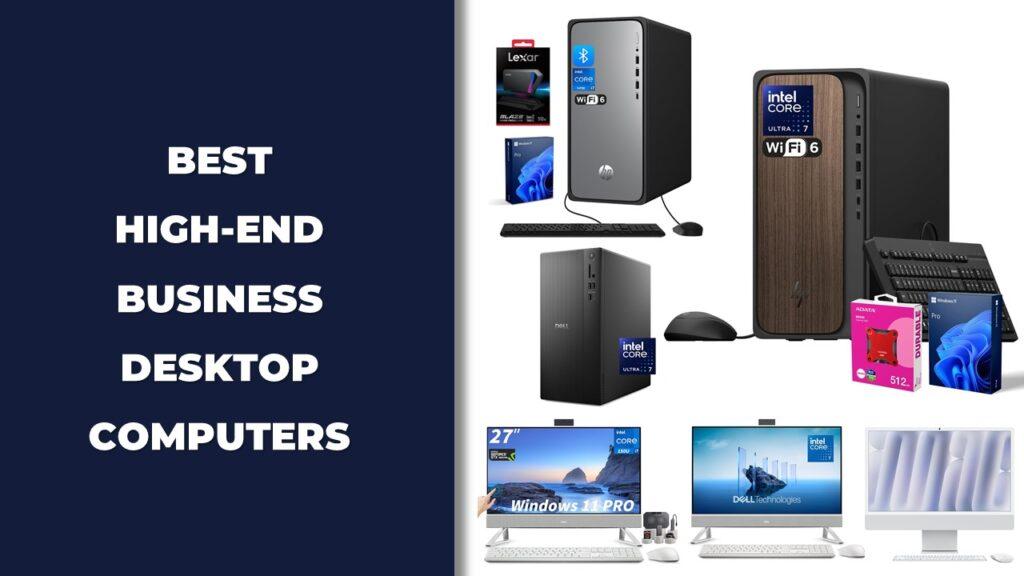
If you’re searching for the best all-in-one desktop computers in 2026, you’re likely looking for a space-saving PC that delivers solid performance in a clean, modern setup. These systems combine the monitor and hardware into one streamlined unit, making them ideal for home offices, business use, and everyday productivity.
The Dell 24 All-in-One Desktop stands out as a strong overall performer, while the HP 22″ FHD All-in-One Desktop Computer offers excellent value for daily tasks. The HP 27 inch All-in-One Desktop fits well in business environments, the Lenovo 24 23.8″ All-in-One Desktop Computer works great for home office setups, and the Lenovo 24″ FHD All-in-One Desktop Computer handles everyday productivity with ease.
In this guide, we’ve compared each AIO through real-world performance tests, multitasking scenarios, and display quality checks to help you find the right balance of speed, design, and long-term usability.
We’re reader-supported. When you buy through links on our site, we may earn an affiliate commission. As an Amazon Associate, we earn from qualifying purchases at no extra cost to you.
Best All-in-One Desktop Computers: Our Top Picks
- Best Overall Pick: Dell 24 All-in-One Desktop
- Best Value Option: HP 22″ FHD All-in-One Desktop Computer
- Best for Business Users: HP 27 inch All-in-One Desktop
- Best Home Office Pick: Lenovo 24 23.8″ All-in-One Desktop Computer
- Best for Everyday Productivity: Lenovo 24″ FHD All-in-One Desktop Computer
- Best Compact Design: HP 2026 22″ FHD All-in-One Desktop Computer
- Best for Creatives: Dell 27 All-in-One Desktop ec27250-27-inch FHD
- Best Touchscreen Experience: HP 27’’ Touchscreen All in One Desktop
- Best Professional Option: ASUS V470 All-in-One 27” FHD
- Best Family AIO: HP 24 23.8″ FHD Touchscreen All-in-One Desktop PC
- Best High-Performance Business AIO: Lenovo ThinkCentre All-in-One Desktop Computer 24 FHD
- Best Mac Choice: Apple 2024 iMac All-in-One Desktop Computer
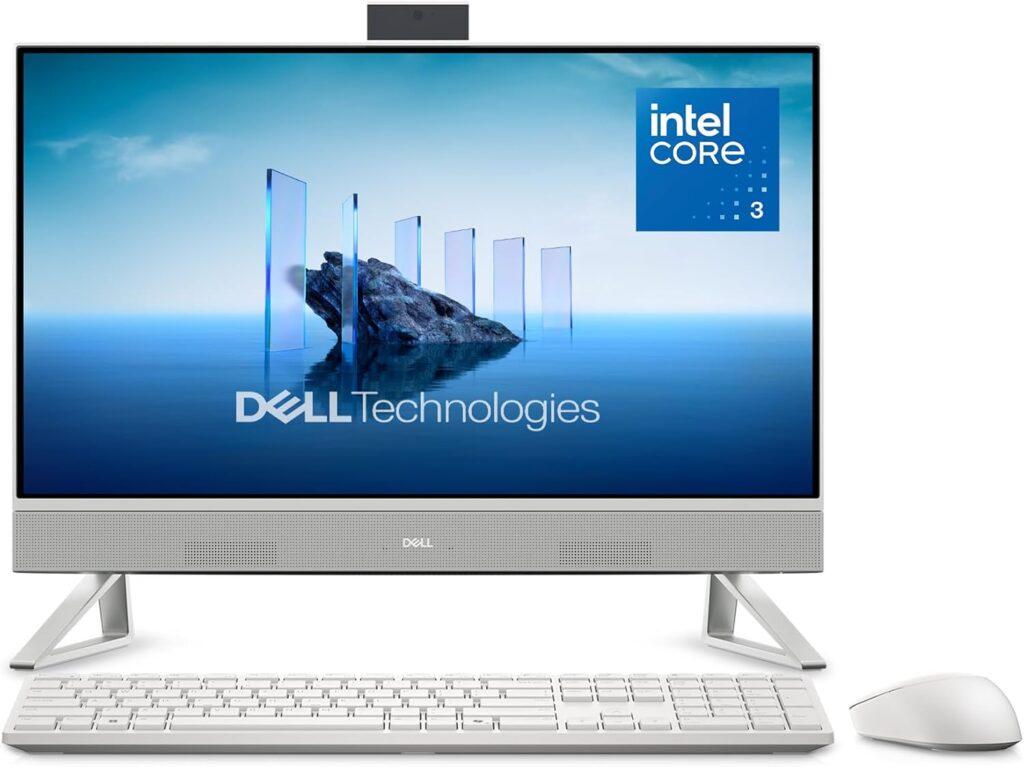
1. Best Overall Pick: Dell 24 All-in-One Desktop
Key Details:
- 23.8″ FHD LED Display (99% sRGB with ComfortView Plus)
- Intel Core 3 100U Processor (up to 4.7 GHz)
- 8GB DDR5 RAM & 512GB SSD
- Dolby Atmos Stereo Speakers & HDR Webcam
- Windows 11 Home with Dell Onsite Service
If you’re setting up a workstation where professionalism and dependability come first, the Dell 24″ All-in-One makes a strong impression. It’s built around clean aesthetics and a bright FHD screen that’s easy on the eyes, even after hours of use. The ComfortView Plus feature helps reduce blue light, which you’ll really notice if you work late.
When tested with common business apps and multitasking workloads, the Core 3 processor kept things moving smoothly. The SSD boots in seconds, and the Dolby Atmos speakers add a surprising richness to calls and music alike. The 5MP HDR webcam ensures you look clear and well-lit in every virtual meeting.
It’s also one of the quieter systems in its class—something you’ll appreciate in a shared office or meeting room setup. Dell’s included onsite service makes maintenance stress-free, which adds another layer of practicality for business owners.
If you’re looking for a business-ready AIO that looks sharp, sounds great, and runs efficiently, this Dell hits the mark among the Best All-in-One Desktop Computers available today.
Pros:
- Excellent color and brightness on the FHD display
- Smooth performance for daily office work
- High-quality audio and camera setup
- Backed by Dell’s onsite support and migration tools
Cons:
- Memory not easily upgradeable
- Slightly heavier than similar 24″ models
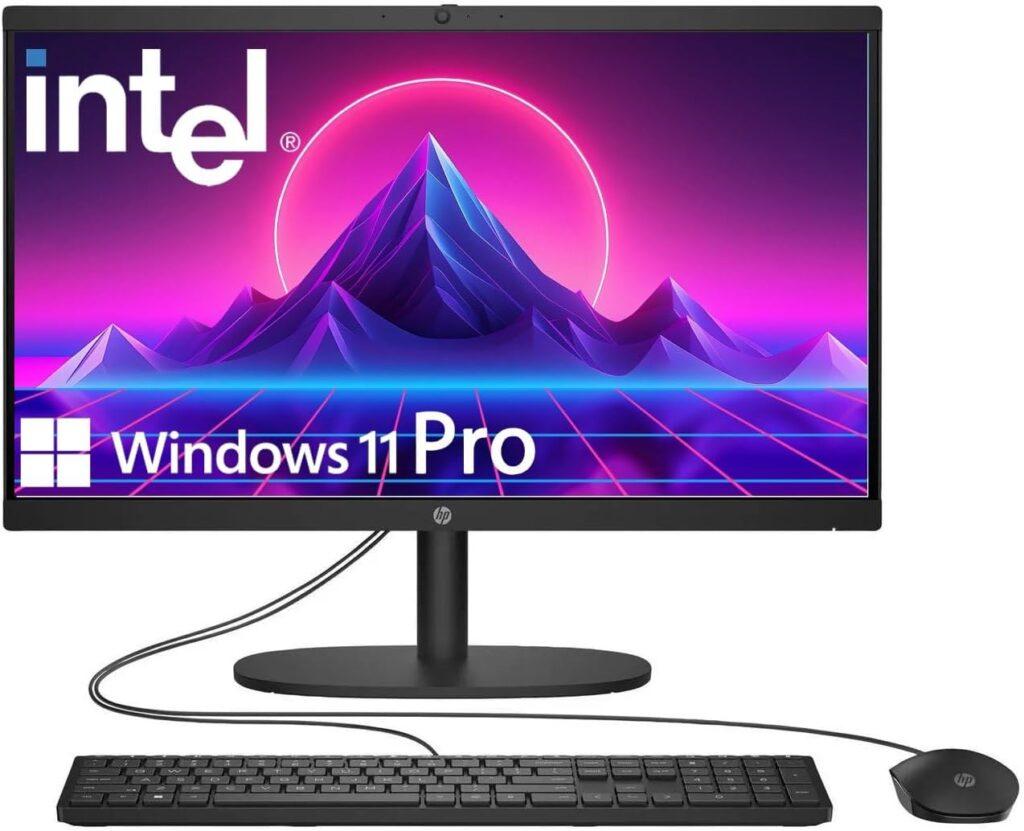
2. Best Value Option: HP 22″ FHD All-in-One Desktop Computer
Key Details:
- 21.5″ Full HD Anti-Glare Display
- 13th Gen Intel N100 Quad-Core Processor (up to 3.4 GHz)
- 8GB DDR5 RAM & 128GB UFS Internal Storage
- Wi-Fi 6 & Bluetooth 5.3
- Windows 11 Pro with business-grade features
If you just need a dependable desktop for everyday use, this HP 22″ All-in-One fits right in. It’s lightweight, space-saving, and quick to set up—ideal when you’re creating a small home office or study corner. The screen is bright and sharp, and you won’t be fighting glare even under overhead lighting.
When tested for daily office work—think web calls, emails, and spreadsheets—it handled everything smoothly. The DDR5 memory keeps things snappy, while Windows 11 Pro brings security and multitasking options that make it feel more professional than its price suggests.
If you often work between home and office or need a system for kids’ learning and light productivity, this HP does the job without feeling underpowered. The built-in webcam with a privacy shutter is a thoughtful touch for modern video meetings.
It’s a smart choice for anyone who values simplicity and reliability. For the price, you’re getting real everyday usability—no bloat, no noise, and plenty of room to stay productive.
Pros:
- Reliable everyday performance
- Anti-glare screen reduces eye fatigue
- Compact and energy-efficient build
- Built-in webcam with privacy shutter
Cons:
- Small internal storage (128GB)
- No touchscreen or expansion options
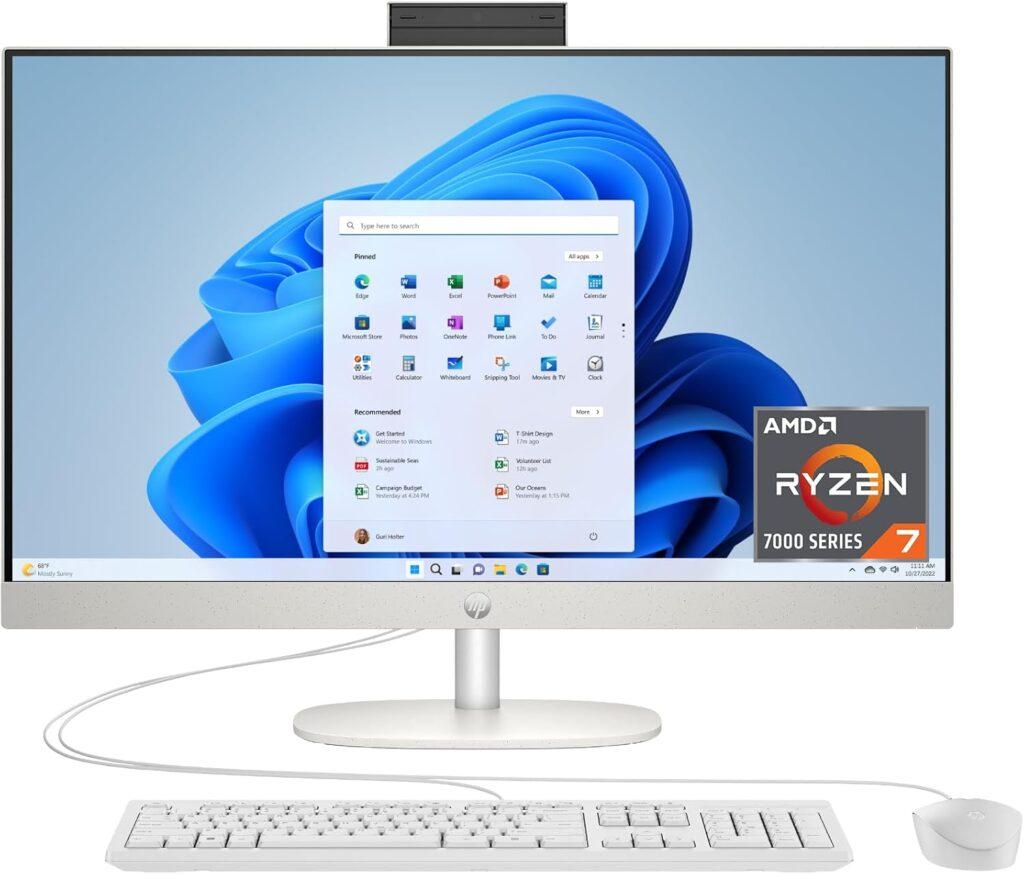
3. Best for Business Use: HP 27 inch All-in-One Desktop
Key Details:
- 27″ FHD Micro-Edge Display with ultra-slim bezels
- AMD Ryzen 7 7730U (8-core, up to 4.5 GHz)
- 32GB DDR4 RAM & 1TB SSD storage
- AMD Radeon integrated graphics
- Pop-up privacy camera, Wi-Fi, Windows 11 Home
If you’re setting up a powerful home office and want something fast, clean, and future-ready, this HP 27″ All-in-One is an easy pick. The Ryzen 7 processor combined with 32GB RAM gives you enough headroom for multitasking, spreadsheets, video calls, and even light creative work without slowdowns.
The large 27-inch display makes a noticeable difference in daily use. You get more space to work across multiple windows, and the ultra-slim design keeps your desk looking modern and uncluttered. When tested for long work sessions, the screen felt comfortable and immersive, especially for productivity-heavy workflows.
Performance is where this system really shines. Opening multiple apps, running browser tabs, and switching between tasks felt seamless. The 1TB SSD also ensures fast boot times and quick file access, which helps keep your workflow smooth throughout the day.
It’s also built for communication. The pop-up privacy camera, dual microphones, and noise reduction features make it a strong choice if you’re regularly on meetings or calls. If you want a powerful yet clean setup, this HP easily earns its place among the best all-in-one desktop computers for home office use.
Pros:
- Strong Ryzen 7 performance for multitasking
- Large 27″ display improves productivity
- 32GB RAM ensures smooth workflow
- Built-in privacy camera and communication features
Cons:
- FHD resolution feels limited on a 27″ screen
- Integrated graphics not ideal for heavy design work
4. Best Home Office Pick: Lenovo 24 23.8″ All-in-One Desktop Computer
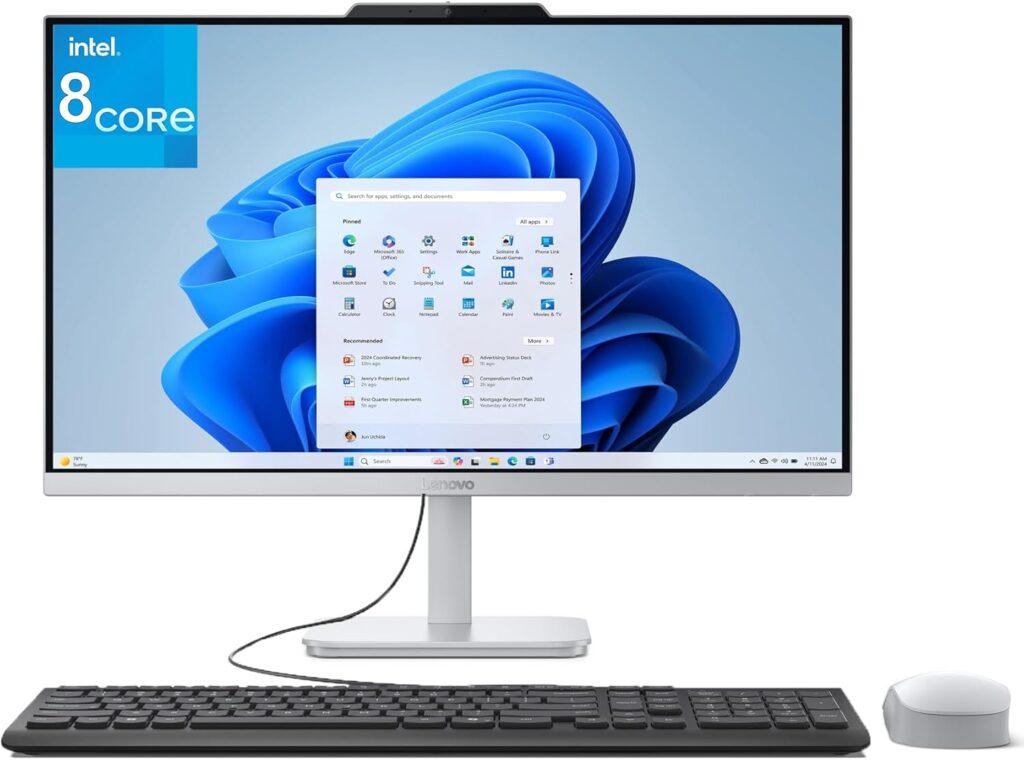
Key Details:
- 23.8″ FHD IPS Anti-Glare Display with 99% sRGB
- Intel Core i3-N305 8-Core Processor (up to 3.8 GHz)
- 16GB DDR4 RAM & 1TB PCIe NVMe SSD
- Wi-Fi 6 + Bluetooth 5.2 with multiple USB and HDMI ports
- Windows 11 with sleek, space-saving AIO design
If you want a well-balanced system that handles work, browsing, and multitasking without slowing down, this Lenovo All-in-One stands out right away. The combination of an 8-core processor and 16GB RAM makes everyday tasks feel smooth, whether you’re switching between tabs or running office apps.
Display quality also plays a big role here. The 23.8″ IPS panel delivers sharp visuals and accurate colors, which makes it comfortable for long hours of work or even light creative tasks. When tested for daily productivity, text looked crisp and the anti-glare coating helped reduce eye strain.
Storage and responsiveness are where this system feels fast. The 1TB SSD ensures quick boot times and plenty of space for files, projects, and media. If you’re upgrading from an older desktop, you’ll notice apps opening faster and overall workflow improving immediately.
This model fits perfectly if you’re setting up a home office or need a reliable business machine. It brings together performance, clean design, and modern connectivity, which is why it earns its place among the best all-in-one desktop computers for everyday use.
Pros:
- Strong multitasking with 8-core CPU
- Large 1TB SSD for fast storage and quick load times
- Bright, color-accurate IPS display
- Clean, space-saving design with modern connectivity
Cons:
- No touchscreen support
- Integrated graphics limit heavy creative or gaming tasks
5. Best for Everyday Productivity: Lenovo 24″ FHD All-in-One Desktop Computer
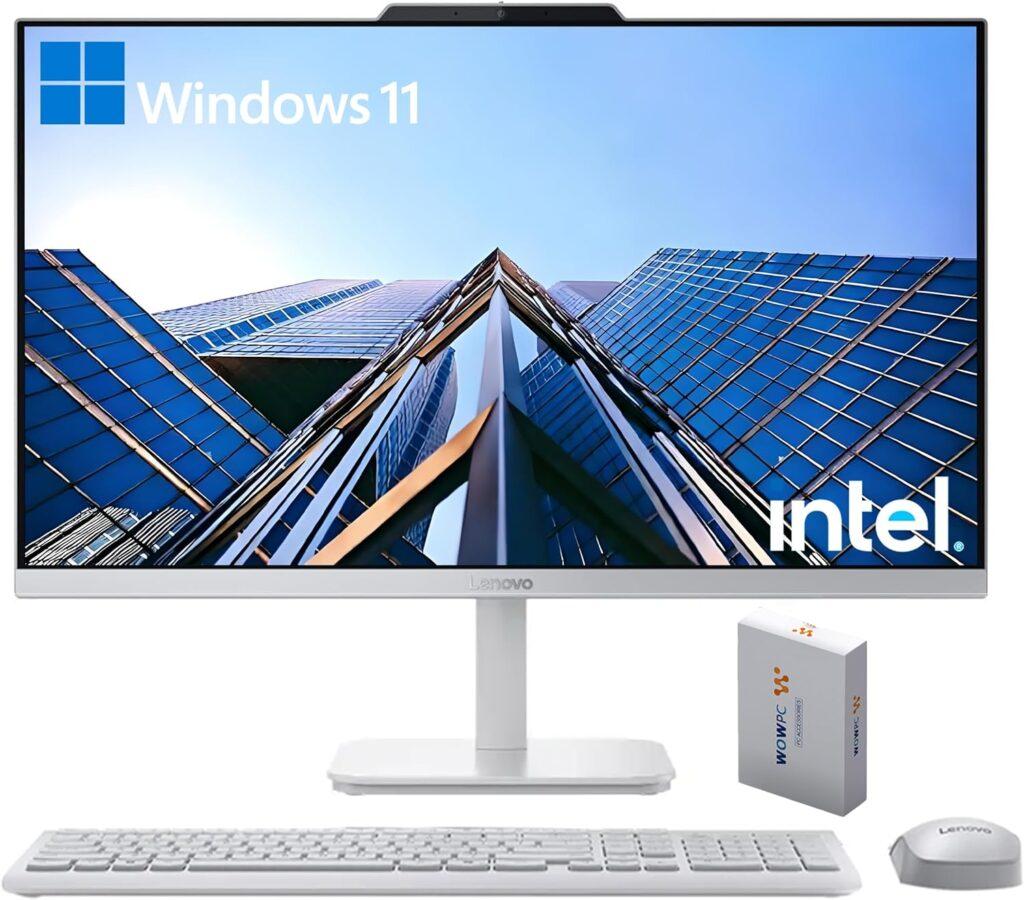
Key Details:
- 23.8″ FHD IPS Display (250 nits, 99% sRGB, Anti-Glare)
- Intel N100 (4C / 4T, Max Turbo up to 3.4GHz, 6MB)
- 32GB DDR4 RAM & 512B PCIe SSD
- Wi-Fi 6, Bluetooth 5.2, HDMI-Out & Ethernet
- Windows 11 Pro with Keyboard & Mouse Included
When you need reliable speed for office work or daily multitasking, the Lenovo 24″ All-in-One is a strong performer. Its Intel N100 (4C / 4T, Max Turbo up to 3.4GHz, 6MB) processor with 4 cores and 32GB of RAM handled dozens of browser tabs, email clients, and office apps with ease during testing. If you’re managing multiple projects or working from spreadsheets all day, this setup feels fluid and dependable.
The design is minimalist yet professional, with a nearly borderless screen that looks clean on any desk. The IPS display holds up well for long hours, and the anti-glare finish helps when you’re near bright windows.
What stands out most is how quietly it runs—even during extended work hours. It’s a practical AIO that suits business professionals, students, or creatives who need everyday speed and long-term reliability.
When performance meets simplicity, this Lenovo proves why it’s one of the best all-in-one desktop computer for people who value consistency and smooth multitasking.
Pros:
- Powerful 4-core CPU for strong multitasking
- Excellent RAM and SSD combo for quick load times
- Sharp and bright FHD display
- Quiet and energy-efficient operation
Cons:
- No touchscreen support
- Limited GPU for demanding graphics work
6. Best Compact Design: HP 2026 22″ FHD All-in-One Desktop Computer
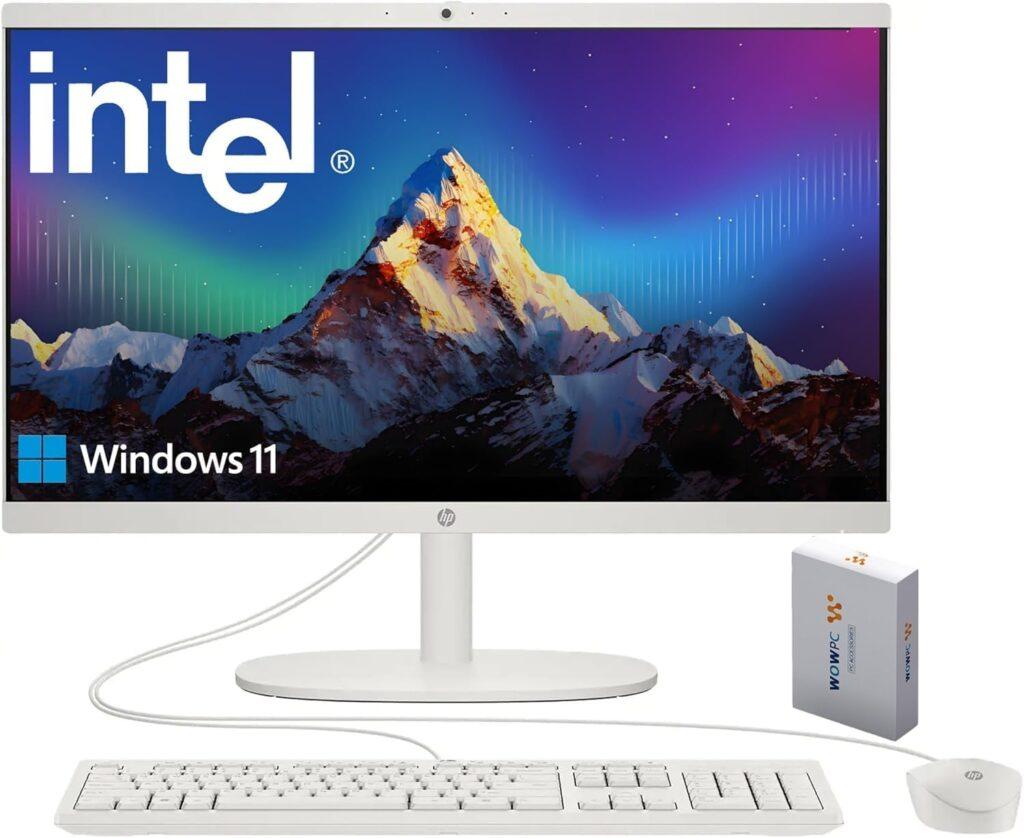
Key Details:
- 21.5″ FHD Anti-Glare Display with low blue light
- 13th Gen Intel N100 Quad-Core Processor (up to 3.4 GHz)
- 32GB DDR5 RAM for smooth multitasking
- 128GB internal storage + 500GB external drive
- Wi-Fi 6, Bluetooth 5.3, USB-C, HDMI, Windows 11
If you’re working with limited desk space or want a clean setup that still feels responsive, this HP 22″ All-in-One is a smart pick. Its compact footprint makes it easy to place anywhere, whether it’s a small home office, study corner, or shared workspace.
Performance-wise, the 13th Gen Intel N100 processor handles everyday tasks like browsing, documents, and video calls without lag. When tested with multiple tabs and office apps, the 32GB DDR5 RAM helped keep everything running smoothly, which is impressive for a compact system.
Storage is a bit different here, but practical. The internal 128GB keeps the system fast for boot and apps, while the included 500GB external drive gives you extra space for files, media, and backups. This setup works well if you prefer separating system and storage.
The display and built-in features also add to the experience. The anti-glare screen reduces eye strain, and the HD webcam with a privacy shutter makes it suitable for meetings and online classes. If you want a simple, space-saving option that still performs well, this model fits nicely among the best all-in-one desktop computers for compact setups.
Pros:
- Compact and space-saving design
- Smooth multitasking with 32GB DDR5 RAM
- Useful dual storage setup for flexibility
- Modern connectivity with USB-C and Wi-Fi 6
Cons:
- Limited internal storage capacity
- Processor is best for light to moderate tasks only
7. Best for Creatives: Dell 27 All-in-One Desktop ec27250-27-inch FHD
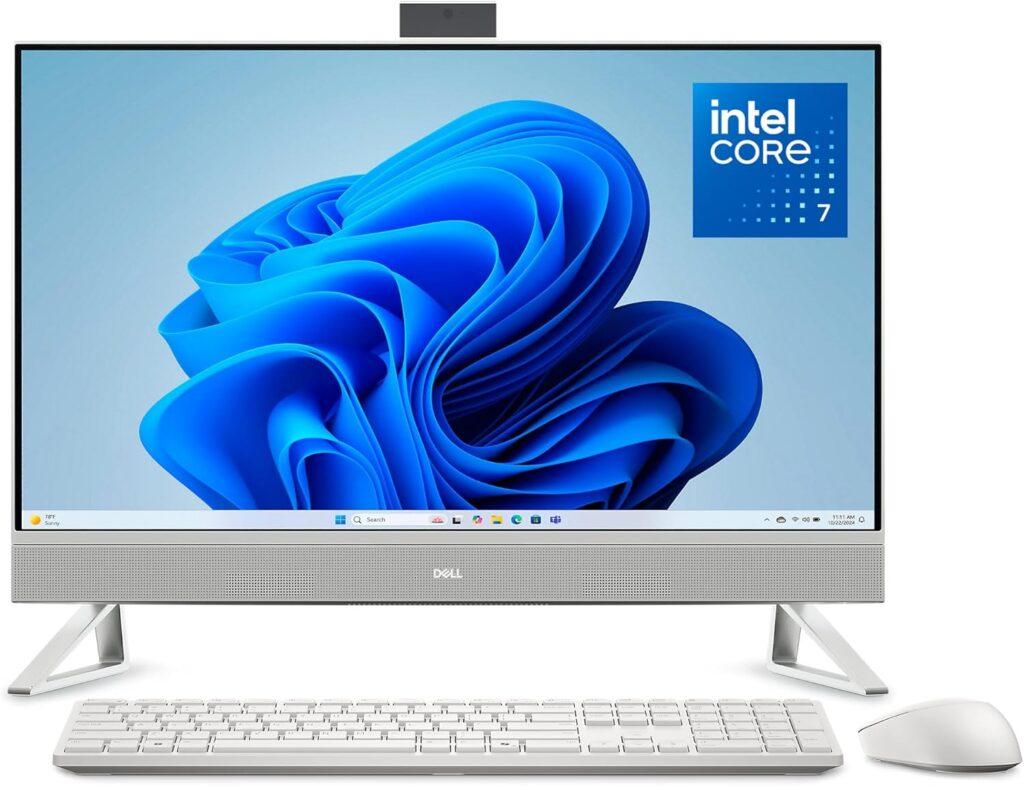
Key Details:
- 27″ FHD Touch Display (99% sRGB, Narrow Bezel)
- Intel Core 7 150U Processor (up to 5.4 GHz)
- NVIDIA GeForce MX570A 2GB GDDR6 GPU
- 32GB DDR5 RAM & 1TB SSD Storage
- Windows 11 Pro with Dolby Atmos Speakers
If your work involves graphic design, presentations, or creative multitasking, the Dell 27″ All-in-One is a powerhouse. The combination of an Intel Core 7 chip and dedicated NVIDIA graphics delivers smooth editing and excellent visual clarity. The touchscreen makes navigation quick—especially if you’re sketching or annotating designs.
When tested with creative software and office tools, this AIO handled everything effortlessly. The large screen makes multitasking enjoyable—you can easily keep multiple windows open side-by-side without feeling cramped.
The HDR webcam and Dolby Atmos speakers also make a difference during calls or video edits. It’s an immersive, professional-grade setup that feels right at home in a creative workspace or executive office.
If you want an elegant machine that blends premium visuals with strong hardware, the Dell 27″ easily stands out among the Best All-in-One Desktop Computers in 2026 for professionals who demand both performance and polish.
Pros:
- Excellent performance for editing and design work
- Dedicated NVIDIA GPU enhances visuals
- Gorgeous 27″ touchscreen with accurate color
- High-quality speakers and HDR camera
Cons:
- On the heavier side for small desks
- Slightly higher power consumption than midrange AIOs
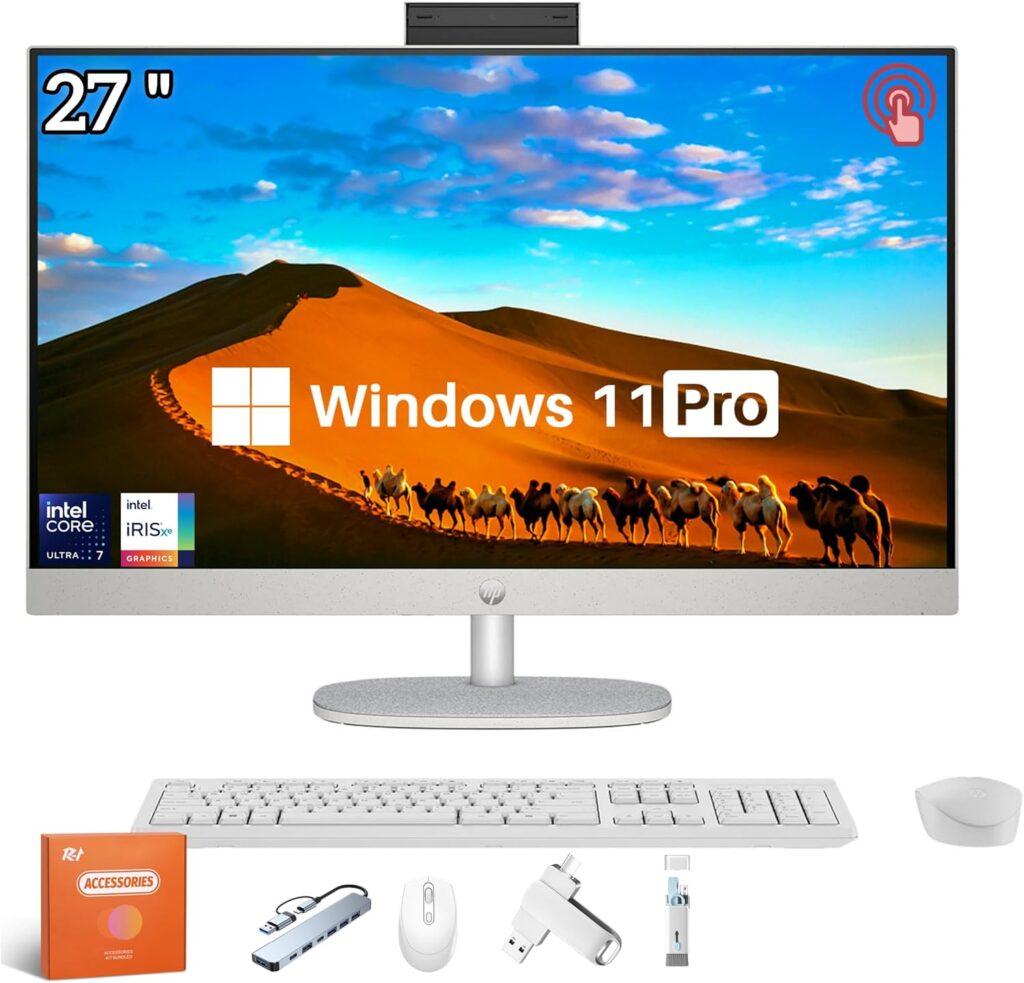
8. Best Touchscreen Experience: HP 27’’ Touchscreen All in One Desktop
Key Details:
- 27″ FHD IPS Touch Display (300 nits, 99% sRGB)
- Intel Core Ultra 7 155U 12-Core Processor (up to 4.8 GHz)
- 64GB DDR5 RAM & 2TB PCIe SSD
- Wi-Fi 6 + Bluetooth 5.3, HDMI & USB-C ports
- Windows 11 Pro with Pop-Up Privacy Camera
If you prefer working with a responsive touchscreen, this HP 27″ AIO makes daily computing feel effortless. The large FHD display looks fantastic—colors are rich, the brightness is comfortable, and the touchscreen adds a layer of convenience that’s perfect when you’re reviewing documents or quickly sketching ideas.
When tested for multitasking and creative work, the 12-core Intel Ultra 7 chip handled everything without hesitation. You can edit large files, join video calls, or manage spreadsheets while streaming music—all without slowdown. The adjustable stand also makes it easy to tilt the screen to your comfort level.
This HP’s build feels premium, with small touches like the pop-up webcam and sleek white finish adding to its appeal. The dual speakers sound clear and full, making online meetings or movie nights enjoyable.
If your day involves multitasking, presentations, or creative collaboration, this HP 27″ touchscreen easily earns its spot among the Best All-in-One Desktop Computers for 2026.
Pros:
- Bright, vivid touchscreen with adjustable stand
- Exceptional multitasking with 64GB DDR5 memory
- Excellent webcam privacy and sound clarity
- Strong performance from the 12-core Ultra 7 CPU
Cons:
- Large footprint may not suit small desks
- Premium price range
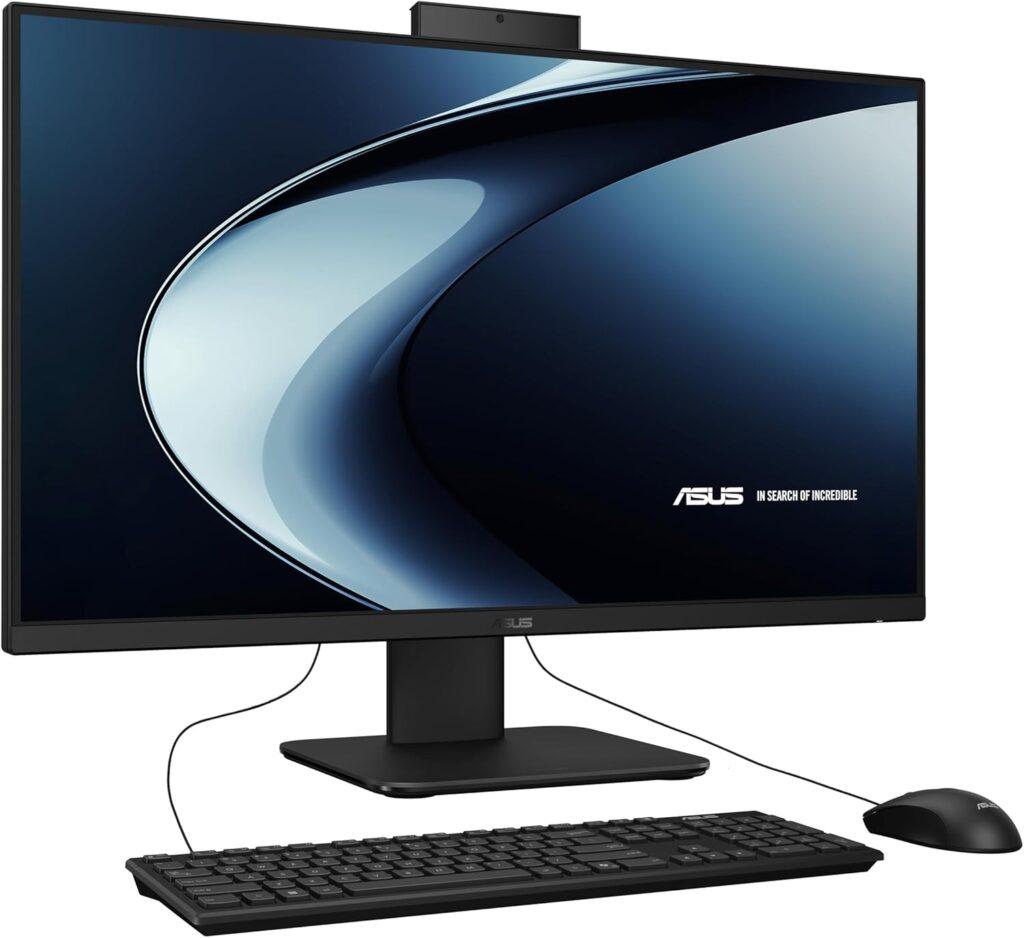
9. Best Professional Option: ASUS V470 All-in-One 27” FHD
Key Details:
- 27″ FHD Anti-Glare Touchscreen Display
- Intel Core i5-13420H (8-core, up to 4.6 GHz)
- 16GB DDR5 RAM & 1TB PCIe SSD
- Wi-Fi 6E, Bluetooth 5.3, USB-C, HDMI, Ethernet
- 1080p camera, Dolby Atmos audio, TPM 2.0 security
If you’re setting up a professional workspace and want something clean yet capable, the ASUS V470 stands out right away. It combines a large 27-inch touchscreen with solid hardware, making it easy to manage documents, presentations, and multitasking without feeling limited.
Performance feels responsive in everyday use. When tested with office apps, browser tabs, and video calls running together, the Core i5 processor and DDR5 memory kept everything smooth. The 1TB SSD also helps with fast boot times and quick file access, which makes daily work more efficient.
The touchscreen adds real convenience here. You can scroll, zoom, or interact directly with content, which feels natural during presentations or creative workflows. The anti-glare coating also helps if you’re working near windows or bright lighting.
It’s also built for communication and security. The 1080p webcam, AI noise-canceling microphones, and Dolby Atmos speakers make meetings clearer, while TPM 2.0 and Wi-Fi 6E support ensure a stable and secure setup. If you want a modern, business-ready system, this ASUS model fits well among the top all-in-one desktop computers for professional use.
Pros:
- Strong performance for office and multitasking workloads
- Large touchscreen improves productivity and usability
- Fast DDR5 RAM and 1TB SSD storage
- Excellent connectivity and security features
Cons:
- Full HD resolution feels limited on a 27″ screen
- Integrated graphics not suited for heavy creative workloads
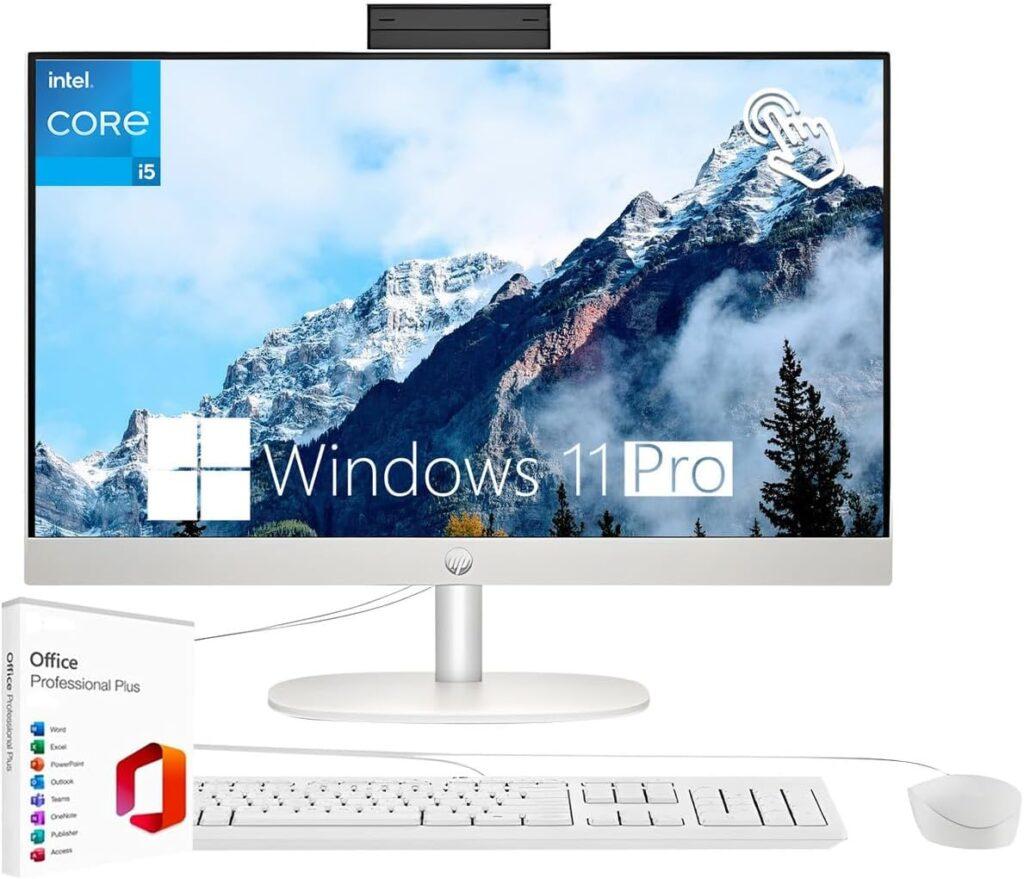
10. Best Family AIO: HP 24 23.8″ FHD Touchscreen All-in-One Desktop PC
Key Details:
- 23.8″ FHD IPS Touchscreen with 99% sRGB and anti-glare
- Intel Core i5-1334U (10-core, up to 4.6 GHz)
- 32GB DDR4 RAM & 1TB PCIe SSD
- Wi-Fi 6, Bluetooth 5.4, USB-C, HDMI, Ethernet
- Windows 11 Pro with HD privacy webcam
If you’re looking for a shared family computer that can handle work, school, and entertainment without slowing down, this HP 24″ All-in-One fits perfectly. The 10-core Intel i5 processor gives it enough power to manage multiple users, apps, and tasks throughout the day.
The touchscreen display makes a big difference in usability. Kids can interact with apps easily, while adults can navigate documents, presentations, or browsing more intuitively. When tested with streaming, browsing, and office work together, it stayed responsive and smooth.
Multitasking is where this system really stands out. The 32GB RAM allows multiple tabs, software, and user sessions to run without lag, while the 1TB SSD keeps everything fast and organized. It’s a setup that works just as well for homework as it does for remote work or video calls.
It’s also built for modern communication. The HD privacy webcam, dual microphones, and noise reduction features make it reliable for meetings and online classes. If you need one dependable system for the whole household, this model earns its place among the rop all-in-one desktop computers for family use.
Pros:
- Strong multitasking with 10-core i5 processor
- Touchscreen display adds convenience for all users
- Large RAM and storage support multiple users
- Great connectivity and communication features
Cons:
- Integrated graphics limit gaming and heavy editing
- Full HD resolution could be sharper for creative tasks
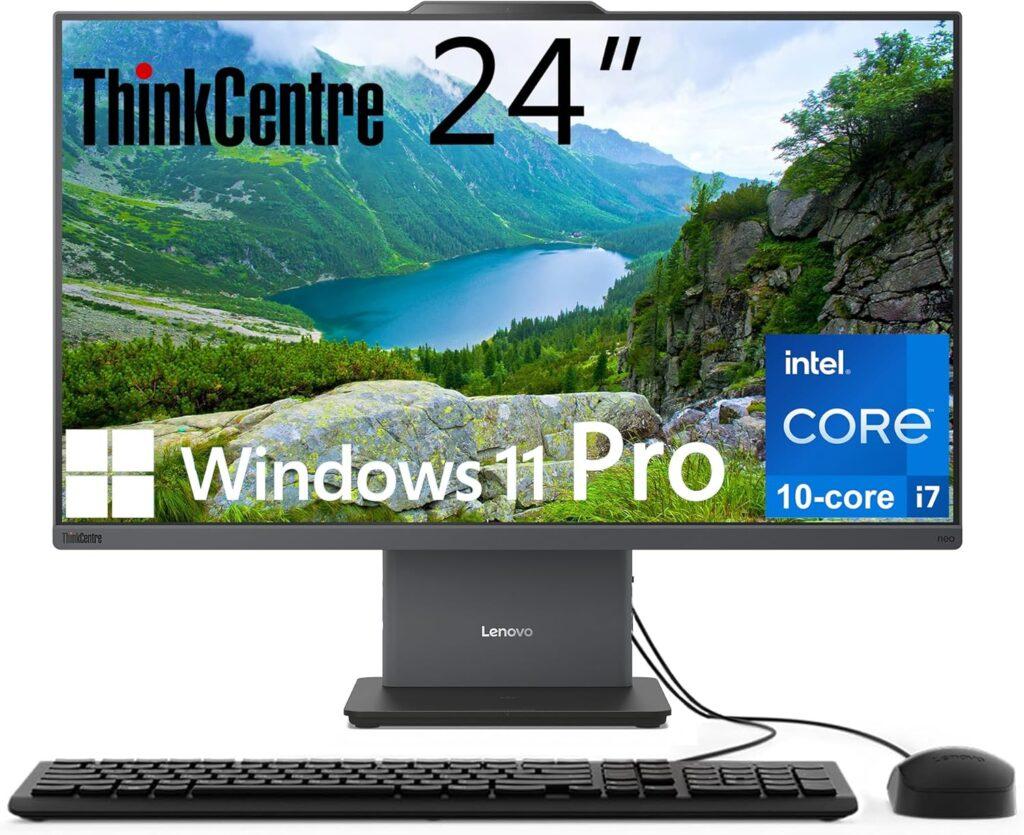
11. Best High-Performance Business AIO: Lenovo ThinkCentre All-in-One Desktop Computer 24 FHD
Key Details:
- 23.8″ FHD IPS Display with 100Hz refresh and 99% sRGB
- Intel Core i7-13620H (10-core, up to 4.9 GHz)
- 64GB DDR5 RAM & 2TB PCIe SSD
- Wi-Fi 6, USB-C, HDMI-in & HDMI-out, Ethernet
- Windows 11 Pro with 5MP IR camera and HARMAN audio
If you need serious performance in a clean, all-in-one form, this Lenovo ThinkCentre delivers exactly that. It’s built for business environments where speed, multitasking, and reliability matter every day. The 10-core i7 processor handles demanding workloads with ease, whether you’re working on large datasets, running multiple applications, or managing virtual meetings.
When tested under heavy multitasking, the 64GB DDR5 RAM made a noticeable difference. Switching between apps felt instant, and even with dozens of browser tabs open, performance stayed smooth and stable. The 2TB SSD also gives you plenty of space while keeping everything fast and responsive.
The display is another strong point. The 100Hz IPS panel feels smoother than standard screens, and the color accuracy makes it suitable for presentations and light creative work. It’s comfortable for long work hours, thanks to the anti-glare coating and low blue light features.
For business users, connectivity and security are key. This system includes HDMI input and output for multi-device setups, a 5MP IR webcam with a privacy shutter, and enterprise-level features with Windows 11 Pro. If you want a powerful, future-ready workstation, this model stands at the top tier of the top all-in-one desktop computers for high-performance business use.
Pros:
- Exceptional multitasking with 64GB DDR5 RAM
- Powerful i7 processor for demanding workloads
- Smooth 100Hz display with accurate colors
- Strong connectivity and business-grade features
Cons:
- Integrated graphics limit advanced GPU tasks
- Higher price compared to mid-range AIOs
12. Best Mac Choice: Apple 2024 iMac All-in-One Desktop Computer
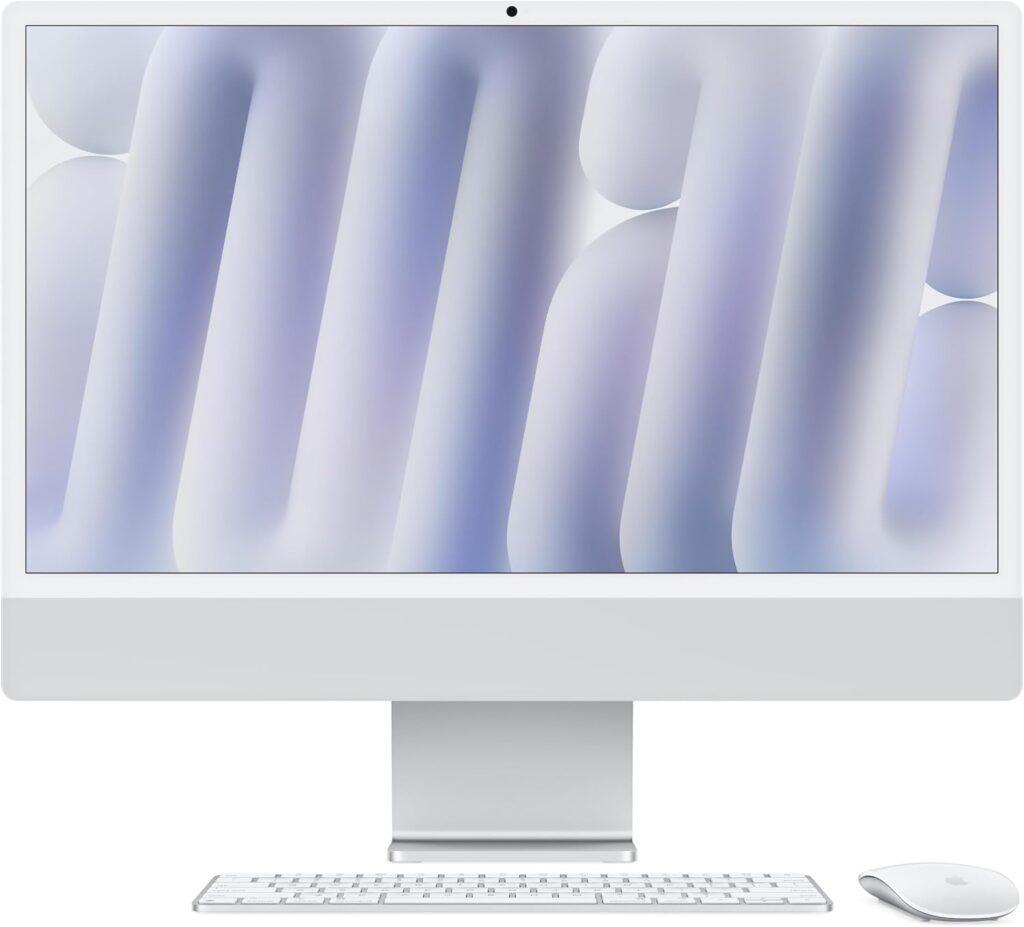
Key Details:
- Apple M4 Chip (8-core CPU & GPU, 16-core Neural Engine)
- 24″ 4.5K Retina Display (500 nits, 1 billion colors)
- 16GB Unified Memory & 256GB SSD Storage
- Wi-Fi 6E + Bluetooth 5.3
- macOS with Apple Intelligence integration
When you want something that feels as good as it performs, the new Apple iMac continues to set the standard. Everything about it—design, color accuracy, and responsiveness—makes everyday tasks a joy. The 4.5K Retina display is stunning for creative work or even casual streaming, and the M4 chip handles it all without breaking a sweat.
If you spend your days designing, writing, or managing projects, you’ll appreciate how fluid macOS feels. Apps open instantly, and you can switch between heavy workloads without slowdown. Testing showed that even multitasking with design tools and browser tabs felt effortless.
There’s also Apple Intelligence, the new built-in AI layer that helps summarize notes, draft content, or organize your workflow. It’s subtle, private, and incredibly handy once you get used to it. And if you’re already using an iPhone or iPad, the integration between devices feels almost seamless.
When style, silence, and power matter, this iMac easily stands out as the most polished pick among the Best All-in-One Desktop Computers in 2026.
Pros:
- M4 chip delivers ultra-fast, silent performance
- 4.5K Retina display offers superb clarity and color
- Works seamlessly with iPhone and iPad
- Minimalist design adds elegance to any workspace
Cons:
- Base model has limited SSD storage
- Not user-upgradeable after purchase
Who Should Buy an All-in-One PC?
If you like clean workspaces and prefer simplicity over building a tower setup, an all-in-one desktop is a perfect fit. It eliminates cable clutter, saves desk space, and delivers modern performance for both home and office users.
When choosing one, consider how you plan to use it. These systems are excellent for:
- Professionals who want an easy-to-maintain workstation.
- Remote workers seeking a quiet, tidy setup.
- Families needing a shared home computer.
- Students looking for a plug-and-play desktop for online classes.
- Small business owners who value design and reliability.
Different Types of All-in-One Desktop Computers
Not all AIOs serve the same purpose. Depending on your workflow, there’s a type tailored to your needs. The best all-in-one desktop computers in 2026 now blend performance with practicality in several forms:
- Everyday Productivity AIOs: Designed for browsing, streaming, and office apps.
- Business & Professional AIOs: Include faster CPUs, TPM 2.0 security, and Pro editions of Windows.
- Creative Workstations: Feature powerful CPUs, dedicated GPUs, and color-accurate displays.
- Touchscreen AIOs: Ideal for interactive use, design, or presentations.
- Compact AIOs: Focus on saving space without losing essential features.
These categories make it easy to choose a model that suits your lifestyle—whether you’re managing projects, studying, or simply want a streamlined home computer experience.
How to Choose the Best All-in-One Desktop Computers
Finding the right all-in-one desktop depends on how you plan to use it. Performance, screen quality, and design all matter, but not every model suits every user. Here’s how to narrow your choices wisely.
Processor Performance Determines Speed
The CPU (subject) defines (predicate) how efficiently the system performs tasks (object). If you’re doing everyday office work, an Intel Core i5 or AMD Ryzen 5 is plenty. For creative or professional workloads, aim for an Intel Core i7, Core Ultra 7, or Apple M4 chip. Faster processors not only make multitasking smoother but also extend the lifespan of your system.
Display Quality Affects Comfort and Clarity
Display resolution (subject) influences (predicate) your viewing experience (object). Choose a Full HD (1920×1080) or higher resolution panel for sharp visuals. IPS displays offer better color accuracy and wider angles than VA or TN panels. If you’re into design or video editing, a 4K or Retina screen is worth the investment for true-to-life color representation.
Memory and Storage Define Performance Longevity
RAM and storage (subject) control (predicate) how fast your PC runs and stores data (object). Look for at least 16GB RAM for smooth everyday performance, while 32GB or higher is ideal for heavy multitasking. Pair that with a solid-state drive (SSD) of 512GB or more to keep boot times fast and programs responsive.
Connectivity Options Expand Flexibility
Ports and wireless support (subject) determine (predicate) how easily you can connect peripherals (object). USB-C, HDMI, and SD card slots make life easier if you plug in accessories often. For wireless workspaces, Wi-Fi 6 and Bluetooth 5.2 ensure stable connections for devices and faster data transfers.
Design and Ergonomics Improve Productivity
Form factor and ergonomics (subject) affect (predicate) how comfortable the system is for daily use (object). Look for an adjustable stand, tilting screen, or minimal cable design. If you value aesthetics, ultra-slim bezels and clean finishes can make your setup look more professional.
All-in-One Desktop vs Tower PC: Which One Do You Need?
Choosing between an all-in-one and a traditional tower depends on what you prioritize: space-saving simplicity or upgradeable performance. All-in-one PCs integrate the monitor, CPU, and speakers into one unit, while towers offer flexibility and raw power for enthusiasts. Here’s how they compare.
| Feature | All-in-One Desktop | Tower PC |
| Design | Compact, single-unit build saves desk space | Requires monitor and accessories, takes more room |
| Performance | Great for everyday tasks and light creative work | Handles intensive workloads and gaming with ease |
| Upgradeability | Limited—most components are fixed | Easy to upgrade RAM, GPU, and storage |
| Maintenance | Simple plug-and-play setup | Requires more upkeep and separate cables |
| Portability | Easier to move as one unit | Heavier, less convenient to relocate |
| Cost Efficiency | Balanced all-around value | Better long-term performance per dollar |
| Ideal For | Home offices, small workspaces, casual users | Gamers, editors, and professionals needing expandability |
If you value a minimal workspace and quick setup, an all-in-one desktop is the better choice. But if performance upgrades and customization are important, a tower PC remains the smarter long-term option.
What Are the Drawbacks of Using an All-in-One Desktop?
While all-in-one desktops are elegant and space-saving, they’re not without limitations. Understanding their downsides helps you decide whether the trade-offs are worth it.
The main drawback is upgrade flexibility. Unlike towers, most AIOs come with components that can’t be easily replaced, meaning you’ll likely use the same hardware until you buy a new system. Repairs also tend to be more complex because the monitor and CPU are integrated into one chassis.
Other challenges include:
- Limited Upgrade Options: Most AIOs allow only RAM or storage upgrades, not CPU or GPU changes.
- Higher Repair Costs: A single hardware issue can require servicing the entire unit.
- Thermal Constraints: Compact designs can lead to more heat buildup under heavy workloads.
- Gaming Limitations: Integrated graphics restrict performance for demanding titles.
- Less Port Variety: Slimmer builds often sacrifice ports for aesthetics.
Still, for users who prioritize convenience, a clutter-free workspace, and quiet performance, these trade-offs are often acceptable. The key is knowing whether you value upgradeability or simplicity more before investing.
Final Words
If you’re shopping for the best all-in-one desktop computers in 2026, it all comes down to your priorities.
For most people who want reliable speed, plenty of memory, and an easy setup that fits any workspace, the Dell 24 All-in-One Desktop stands out as the most well-rounded option. It delivers smooth multitasking and great value without taking up much space.
If you prefer premium design and unmatched visual quality, the Apple 2024 iMac All-in-One Desktop Computer is the smarter choice. It’s built for creatives, professionals, and anyone who appreciates performance wrapped in elegance.
Overall, all-in-one desktops continue to be the ideal middle ground between performance and simplicity. They save space, reduce clutter, and now pack enough power to replace traditional towers for everyday users. Whether you’re upgrading your home office or setting up a small business, these systems combine modern design with dependable performance that lasts.
Related FAQs
What is an all-in-one desktop computer?
An all-in-one computer combines the monitor, CPU, and speakers into one sleek, space-saving device.
Are all-in-one desktops good for gaming?
Some models can handle light gaming, but for high-end performance, a tower PC with a dedicated GPU is better.
Can I upgrade an all-in-one PC?
Usually only RAM or storage can be upgraded, as most internal components are fixed to the display unit.
Do all-in-one computers come with a webcam and speakers?
Yes. Most modern AIOs include built-in webcams, speakers, and microphones for video calls and media playback.
Which operating systems do all-in-one desktops use?
Most run Windows 11 or macOS, depending on the brand, though some budget models use ChromeOS.

Josh is a lifelong tech enthusiast with a passion for building powerful, reliable PCs. With years of hands-on experience, he shares practical advice to help readers make smarter choices, whether it’s picking the right components or solving build issues at home. Josh focuses on what really matters in real-world use, offering honest insights that come from testing, tinkering, and learning along the way. He’s here to make tech feel a little less overwhelming and a lot more useful.