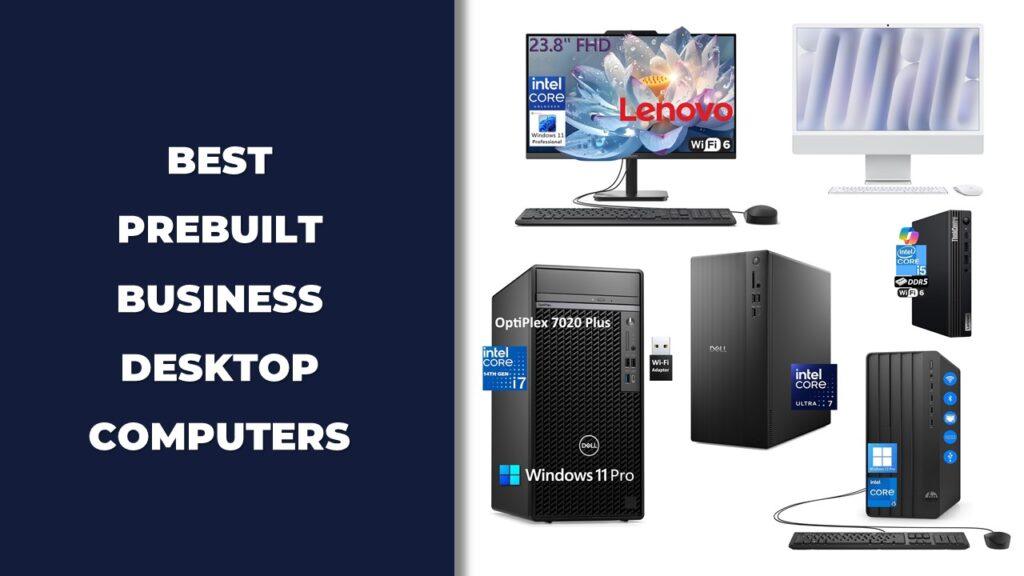
If you are looking for the best desktop computers for small business in 2026, the right PC should make daily work faster, smoother, and more reliable. A good business desktop needs strong multitasking performance, dependable storage, quiet operation, useful ports, and enough power for office apps, accounting software, CRMs, video meetings, and light creative work.
After testing and comparing today’s top small business desktops, the Lenovo ThinkCentre Tiny M70q Gen 5 is our best overall pick, while the Lenovo ThinkCentre Neo 55s works well as a tiny desktop option. The Dell Tower PC Ect1250 Desktop Computers offers strong value, the HP OmniDesk Desktop Computer Tower PC delivers higher performance for heavier workloads, and the Apple 2024 Mac mini Desktop Computer stands out as a compact powerhouse for Mac users.
In this guide, we compare the best desktop computers for small business based on real-world office performance, processor speed, memory, storage, connectivity, security features, build quality, upgrade potential, and overall value, so you can choose the right desktop for your team, workspace, and budget.
We’re reader-supported. When you buy through links on our site, we may earn an affiliate commission. As an Amazon Associate, we earn from qualifying purchases at no extra cost to you.
Best Desktop Computers for Small Business: Our Top Picks
- Best Overall: Lenovo ThinkCentre Tiny M70q Gen 5
- Best Multi-Functional Option: Lenovo ThinkCentre Neo 55s Business SFF Desktop
- Best Value Option: Dell Tower PC Ect1250 Desktop Computers
- High-Performance Pick: HP OmniDesk Desktop Computer Tower PC
- Compact Powerhouse: Apple 2024 Mac mini Desktop Computer
- Best Space-Saving Tower: HP ProDesk 400 G9 SFF Business Desktop Computer
- Best Versatile Use Option: Dell Pro Tower Business Desktop 14th Gen Intel Core i5-14500
- Best Compact Mini PC: HP Pro 400 G9 Mini PC Desktop Computer
- Best All-in-One for Creatives: Apple 2024 iMac All-in-One Desktop Computer
- Performance Tower Choice: Dell Pro Slim QCS1250 Business Desktop
- Budget All-in-One Option: Lenovo 24 23.8″ Fhd All-in-One Desktop Computer
- Best Mini Form Factor Pick: Dell OptiPlex 7020 MFF Mini Business Desktop Computer
1. Best Overall: Lenovo ThinkCentre Tiny M70q Gen 5
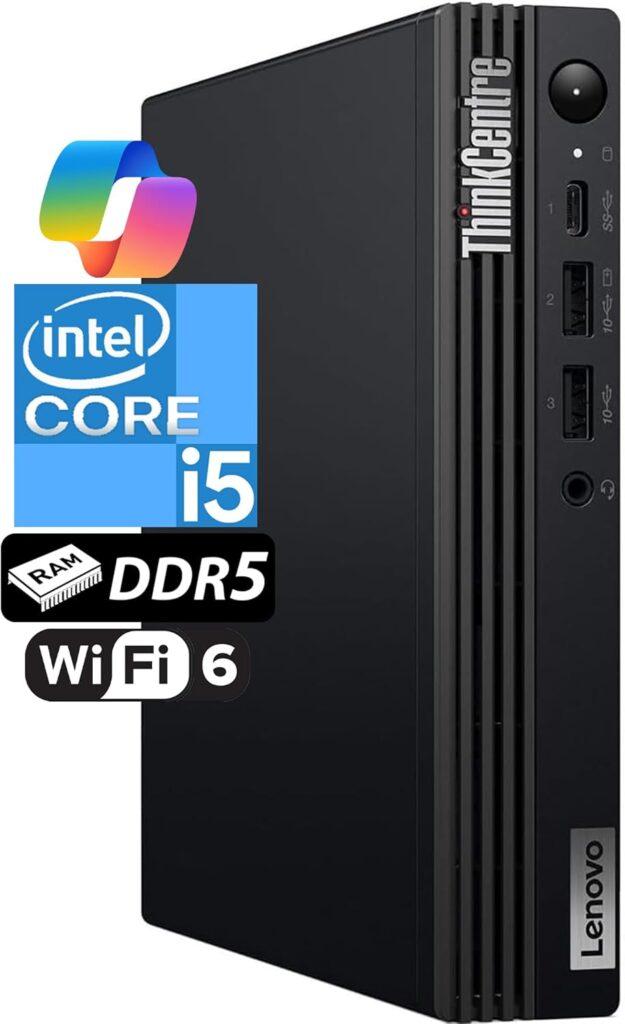
Key Details:
- Processor: Intel Core i5-14400T (10 Cores, up to 4.4 GHz)
- Memory: 16 GB DDR5 RAM
- Storage: 512 GB NVMe SSD
- Graphics: Intel UHD Graphics 770
- Wireless: Wi-Fi 6E + Bluetooth 5.3
When desk space is tight but performance still matters, Lenovo’s ThinkCentre M70q Gen 5 is a strong contender among the best desktop computers for small businesses this year. It’s about the size of a paperback book, yet testing showed it handled simultaneous Zoom calls, data sheets, and browser work without hesitation.
The latest Core i5-14400T and DDR5 memory deliver quick responses and stable performance throughout the workday. You can mount it behind a monitor or under a desk, which keeps the workspace uncluttered — a big plus for shared offices.
Connectivity is another strength: DisplayPort and HDMI outputs, Wi-Fi 6E for strong wireless stability, and Bluetooth 5.3 for peripherals. Lenovo’s enterprise security and 3-year warranty also make it a safe long-term investment for IT-conscious teams.
If your office values silence, efficiency, and reliability, this tiny system proves you don’t need a bulky tower to get big results.
Pros:
- Excellent real-world speed for office workloads
- Compact and durable business-grade build
- Supports multiple monitors
- Backed by Lenovo’s 3-year warranty
Cons:
- No discrete GPU option
- Limited internal upgrade space
2. Best Multi-Functional Option: Lenovo ThinkCentre Neo 55s Business SFF Desktop
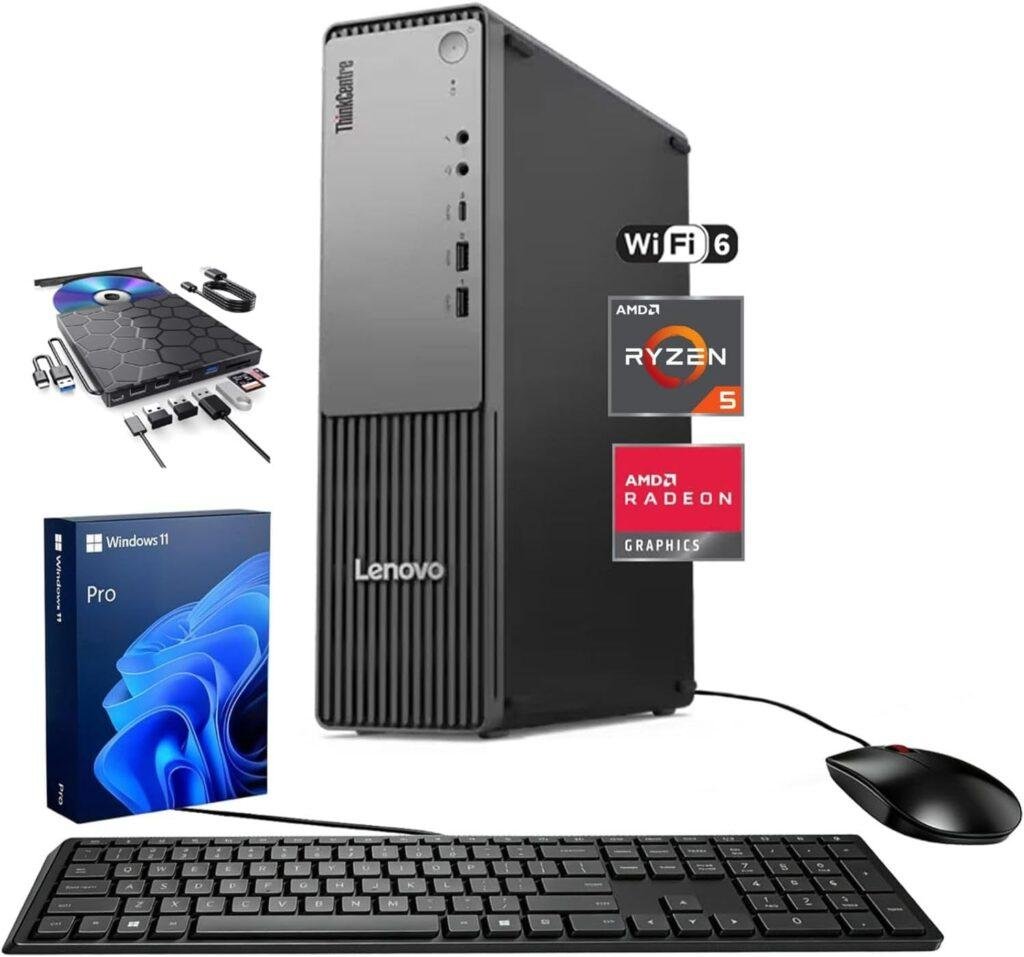
Key Details:
- Processor: AMD Ryzen 5 220, 6 cores, up to 4.9 GHz
- Memory: 16GB DDR5 RAM, expandable up to 32GB
- Storage: 512GB PCIe SSD
- Display Support: Two 4K monitors through HDMI and DisplayPort
- Included Accessories: Wired keyboard, mouse, and external DVD drive bundle
If your small business still uses discs, memory cards, and modern cloud applications, the Lenovo ThinkCentre Neo 55s offers a practical mix of old and new connectivity. Its external DVD bundle reads and writes CDs and DVDs while adding USB ports and SD card access.
The Ryzen 5 processor and 16GB of DDR5 memory provide enough performance for spreadsheets, accounting software, browser-based platforms, video meetings, and routine data processing. A 512GB PCIe SSD also keeps startup times and everyday file access responsive.
Its small form factor saves more desk space than a traditional tower without becoming as restrictive as many mini PCs. HDMI and DisplayPort outputs support two 4K monitors, giving employees more room for reports, communication tools, and customer-management software.
This Lenovo business desktop suits offices that want one system for administration, media access, multitasking, and dual-monitor productivity. Windows 11 Pro adds business-focused security and management tools, although buyers should confirm the exact processor and upgraded component warranty with the seller before ordering.
Pros:
- External DVD drive adds disc and memory-card functionality
- Supports a productive dual-4K monitor setup
- DDR5 memory provides responsive everyday multitasking
- Compact chassis fits smaller business workspaces
Cons:
- 512GB storage may be limited for large business files
- Upgraded RAM and storage use separate seller coverage
3. Best Value Option: Dell Tower PC Ect1250 Desktop Computers
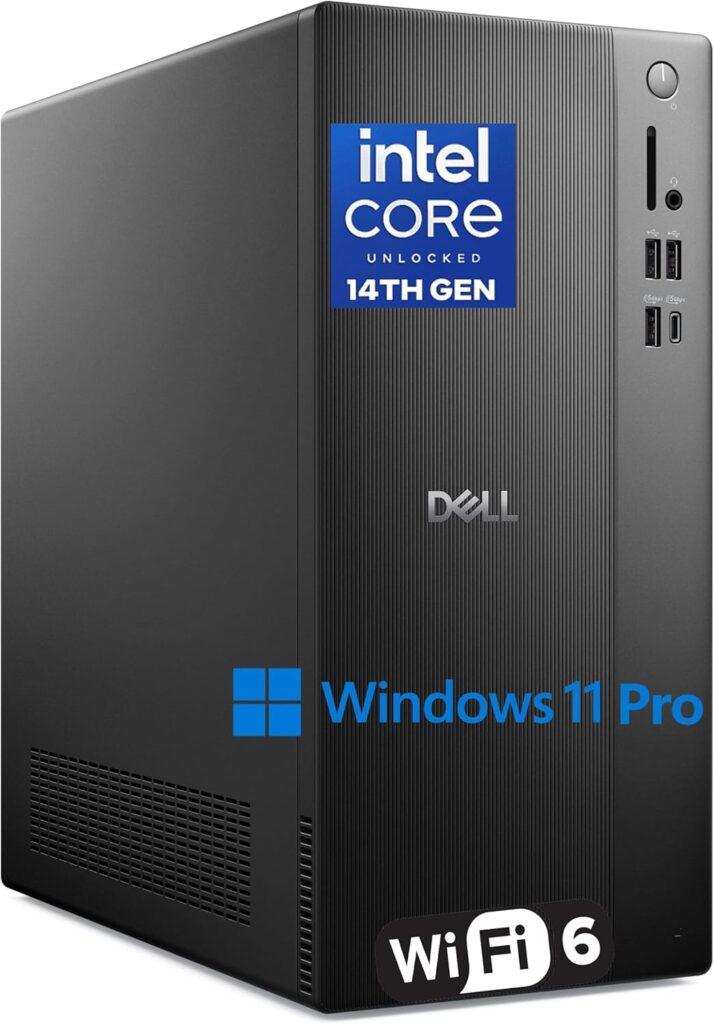
Key Details:
- Processor: Intel Core i3-14100 (14th Gen, 4 Cores, up to 4.7GHz)
- Memory: 16GB DDR5 RAM (expandable to 64GB)
- Storage: 1TB PCIe SSD
- Graphics: Intel UHD Graphics 730
- Operating System: Windows 11 Pro
If you’re setting up a reliable office system that balances performance and cost, this Dell 2026 tower stands out as a practical all-around choice. It’s built for everyday business workloads, and in testing, it handled multitasking across spreadsheets, browsers, and communication tools without noticeable slowdowns.
The 14th Gen Intel processor combined with DDR5 memory keeps things responsive. Boot times are nearly instant, and switching between apps feels smooth, which matters when your workflow involves multiple tabs and software running at once. The 1TB SSD also gives you enough space for business files without constant storage management.
Connectivity is another strong point. With WiFi 6, USB-C, HDMI, and DisplayPort, it supports modern office setups easily, including dual 4K monitors. The compact tower design fits neatly into most workspaces while still allowing future upgrades.
For small businesses that want dependable performance, security, and long-term usability, this Dell tower delivers consistent value without overcomplicating things.
Pros:
- Smooth everyday performance with DDR5 memory
- Fast storage and quick boot times
- Strong connectivity for modern office setups
- Compact design with upgrade potential
Cons:
- Not ideal for heavy creative or GPU-based tasks
- Entry-level CPU for high-end workloads
4. High-Performance Pick: HP OmniDesk Desktop Computer Tower PC
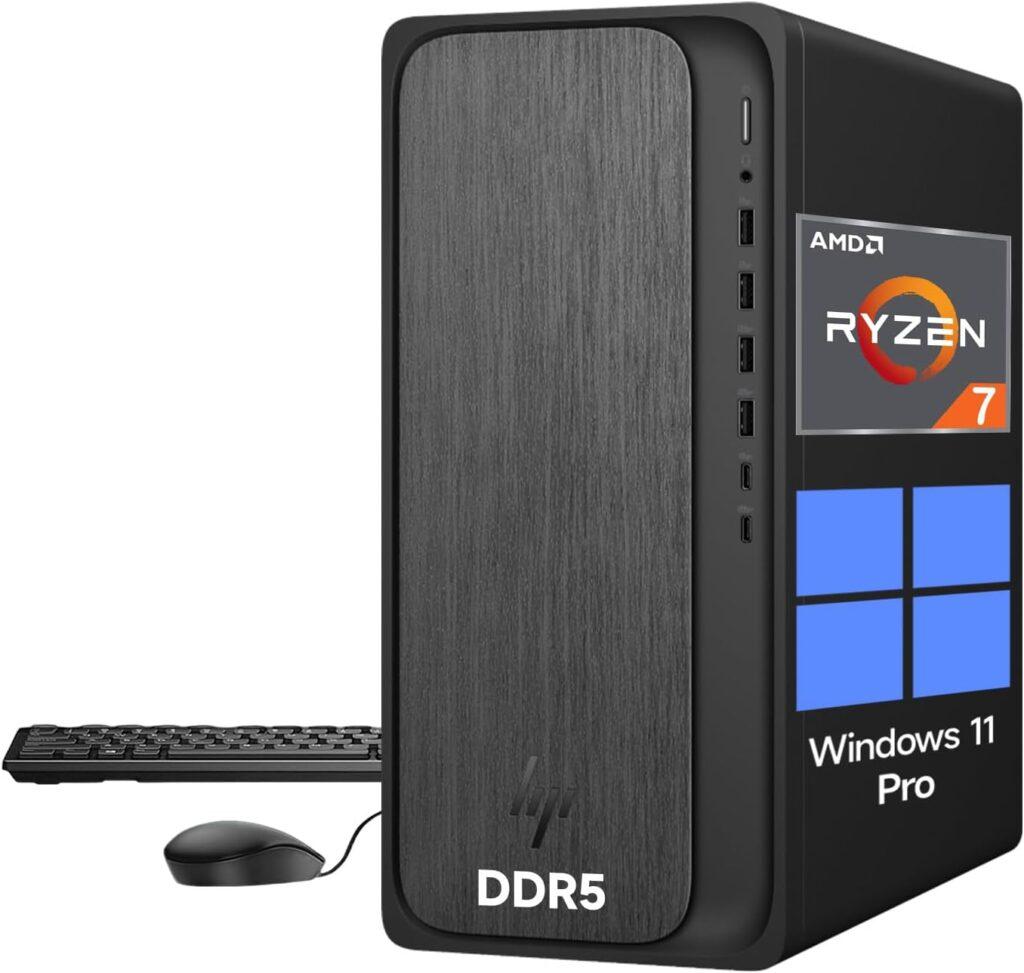
Key Details:
- Processor: AMD Ryzen 7 (8 Cores, up to 5.1GHz, AI NPU support)
- Memory: 32GB DDR5 RAM
- Storage: 1TB PCIe NVMe SSD
- Graphics: AMD Radeon 780M
- Operating System: Windows 11 Pro
If your workload goes beyond basic office tasks, this HP OmniDesk brings serious performance to the table. It’s designed for multitasking, creative work, and even light gaming, making it a strong fit for businesses that need extra processing power.
In real-world use, the Ryzen 7 processor paired with 32GB DDR5 RAM handled heavy multitasking effortlessly. Running multiple applications, large datasets, and even editing tasks felt smooth and stable. The integrated Radeon 780M graphics also delivers noticeably better visual performance than typical office PCs.
The inclusion of AI processing capability adds another layer of efficiency, especially for newer applications that rely on automation or smart workflows. Combined with fast SSD storage, the system feels quick in everything from booting to file access.
For businesses that want one machine to handle productivity, creative tasks, and future-ready workloads, this HP tower offers excellent headroom and flexibility.
Pros:
- Strong multitasking with 32GB DDR5 RAM
- Powerful integrated graphics for creative tasks
- AI-ready processor for modern workflows
- Fast storage and responsive performance
Cons:
- Higher cost than standard office desktops
- Overkill for basic administrative tasks
5. Compact Powerhouse: Apple 2024 Mac mini Desktop Computer
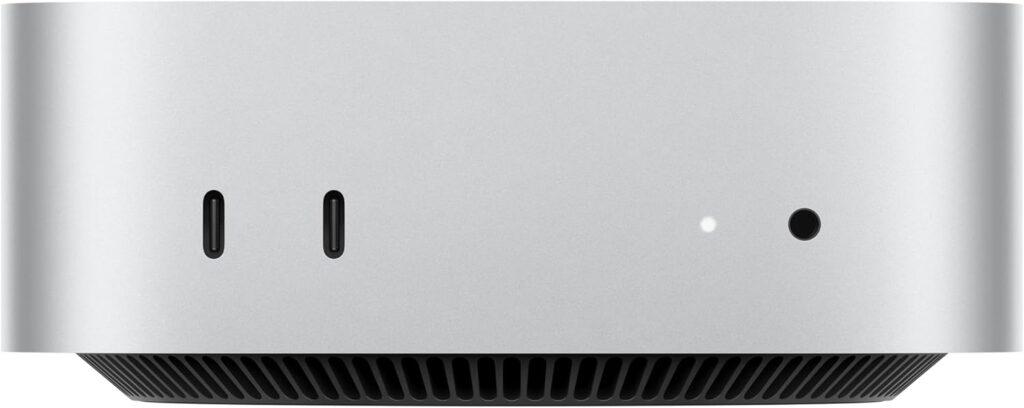
Key Details:
- Processor: Apple M4 chip (10-core CPU + 10-core GPU)
- Memory: 16 GB Unified Memory
- Storage: 256 GB SSD
- Connectivity: Thunderbolt 4, HDMI, Gigabit Ethernet, USB-C
- Wireless: Wi-Fi 6E, Bluetooth 5.3
If your small business leans toward creative or Apple-centric workflows, the 2024 Mac mini with M4 is hard to overlook. It’s tiny — about the size of a stack of sticky notes — yet the performance during testing felt nothing short of premium. Tasks like editing high-resolution photos, video meetings, and managing cloud apps all ran smoothly and silently.
What’s impressive is how effortlessly it integrates with other Apple devices. If you use an iPhone or iPad, you’ll find file sharing and cross-device controls intuitive and fast. Apple Intelligence, built into macOS, also helps summarize documents or generate messages privately — a time-saver for multitasking professionals.
The design fits anywhere: beside a monitor, under a counter, even mounted behind a display. Despite its small storage, performance never dips thanks to the unified memory architecture. It’s ideal for creative studios, consultants, or remote professionals who value minimal clutter.
With long-term macOS support and virtually no noise, the Mac mini M4 remains one of the most refined small-form business desktops you can buy.
Pros:
- Superb performance in a space-saving design
- Seamless integration with the Apple ecosystem
- Silent and energy-efficient
- Supports multiple high-resolution external displays
Cons:
- Limited storage in base version
- Not user-upgradeable after purchase
6. Best Space-Saving Tower: HP ProDesk 400 G9 SFF Business Desktop Computer
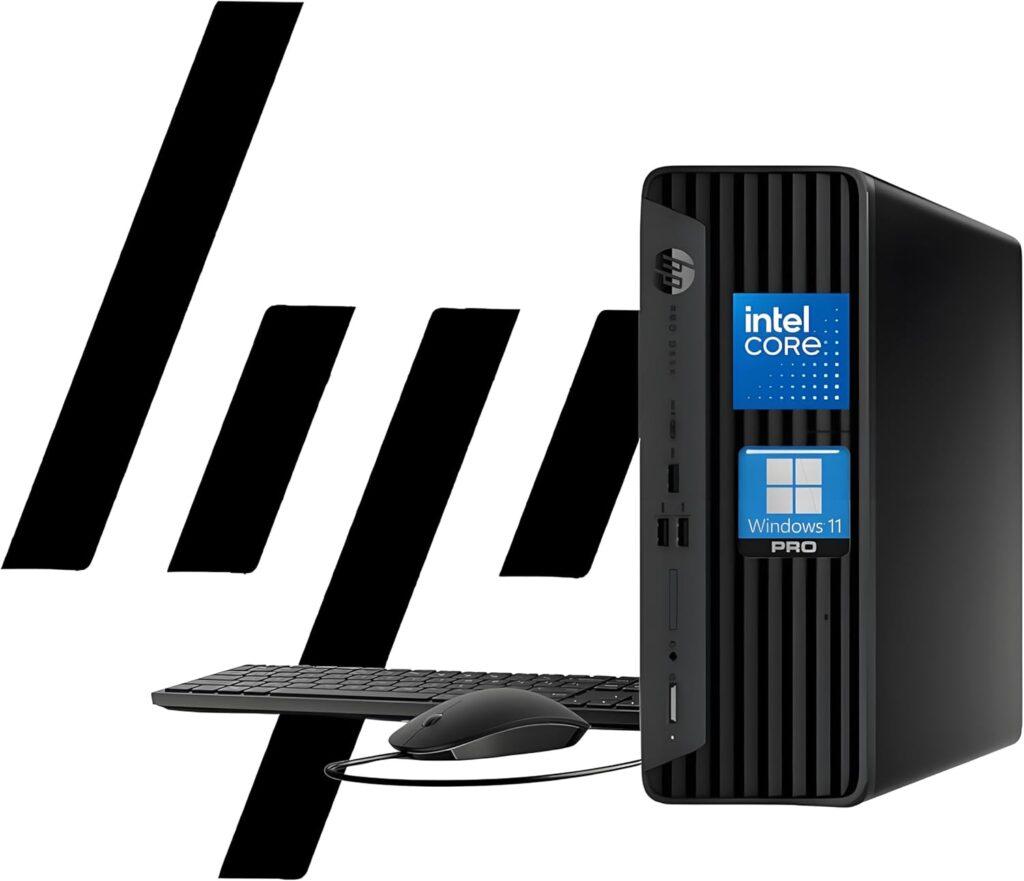
Key Details:
- Processor: Intel Celeron G6900 (Dual-Core, up to 3.4GHz)
- Memory: 32GB DDR4 RAM (expandable to 64GB)
- Storage: 1TB PCIe SSD (supports up to 4TB)
- Graphics: Intel UHD Graphics
- Operating System: Windows 11 Pro
If you’re setting up a growing business and need a dependable system that won’t crowd your workspace, the HP ProDesk 400 G9 SFF is worth a serious look. Its small form factor design fits neatly on or under a desk while still offering impressive upgrade potential — a rare balance between compactness and flexibility.
During testing, performance felt steady and responsive, even with multiple browser tabs and productivity software running. It’s not built for graphics-heavy workloads, but for administrative, accounting, or point-of-sale use, it excels. The option to expand RAM up to 64GB means you can scale its performance as your needs grow.
The build feels distinctly business-oriented — clean, professional, and quiet under load. HP Wolf Security and TPM 2.0 deliver enterprise-level protection, which small teams managing sensitive data will appreciate.
If you value long-term reliability over raw power, this HP desktop makes a strong case as a cost-efficient and secure office workhorse.
Pros:
- Space-saving small form factor with good airflow
- Highly upgradeable for future needs
- Reliable and quiet operation
- Comes preloaded with Windows 11 Pro and HP Wolf Security
Cons:
- Entry-level processor limits creative workloads
- No dedicated GPU option
7. Best Vesatile Use Option: Dell Pro Tower Business Desktop 14th Gen Intel Core i5-14500
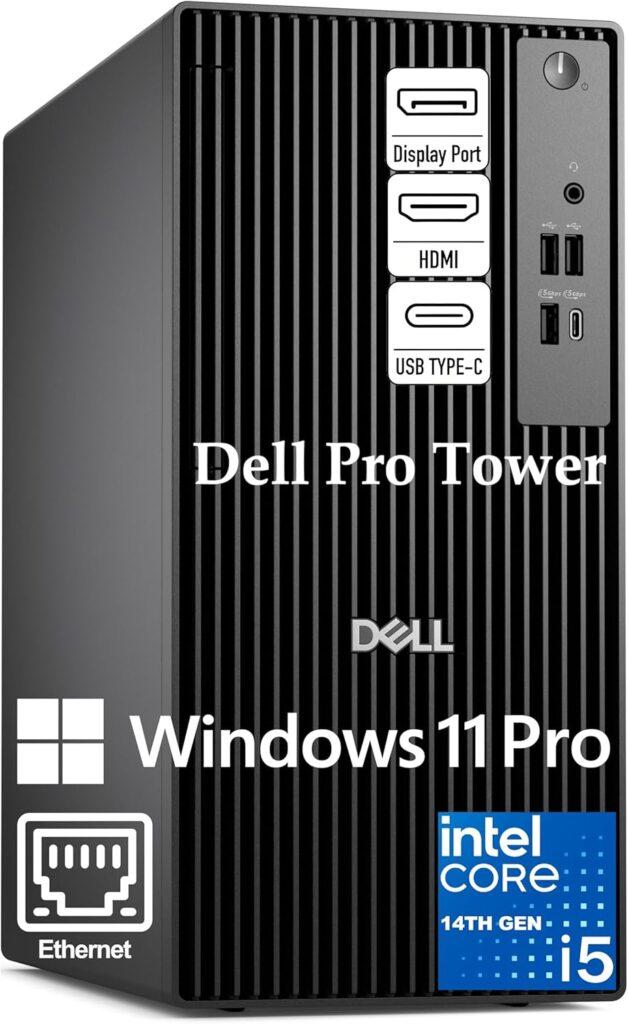
Key Details:
- Processor: Intel Core i5-14500 vPro (14 Cores, up to 5.0GHz)
- Memory: 32GB DDR5 RAM
- Storage: 1TB PCIe SSD
- Graphics: Intel UHD Graphics 770
- Operating System: Windows 11 Pro
If you’re looking for strong performance without stepping into premium pricing, this Dell Pro Tower hits a very practical middle ground. It’s built for business productivity, and during testing, it handled demanding workflows like large spreadsheets, video calls, and multitasking with ease.
The standout feature here is the combination of a 14-core processor and 32GB DDR5 RAM. This setup allows you to run multiple heavy applications at once without slowdowns. Whether you’re managing data, running CRM tools, or handling remote work software, it stays consistently responsive.
Intel vPro adds an extra layer of business-focused functionality, including enhanced security and remote management. That makes it especially useful for small teams that want better control over their systems without complex IT setups.
For businesses that want performance, reliability, and scalability at a reasonable price point, this Dell Pro Tower offers excellent overall value.
Pros:
- Excellent multitasking performance
- Business-grade security with vPro support
- Fast DDR5 memory and storage
- Reliable for long working hours
Cons:
- Integrated graphics limit creative workloads
- Slightly larger footprint than compact PCs
8. Best Compact Mini PC: HP Pro 400 G9 Mini PC Desktop Computer
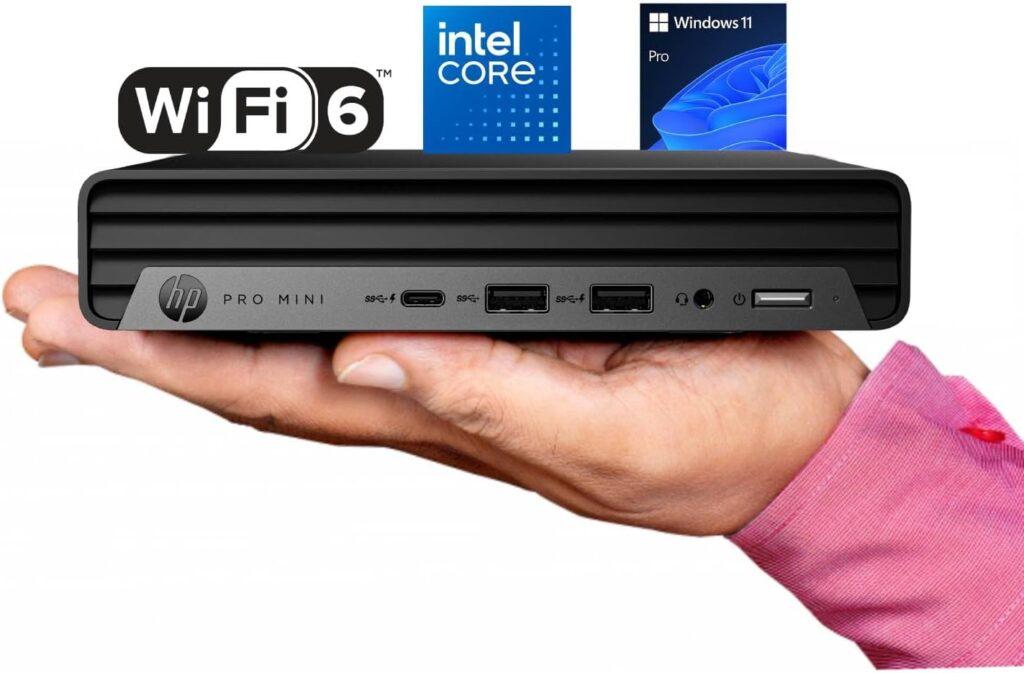
Key Details:
- Processor: Intel Celeron G6900T (Dual-Core, 2.8GHz)
- Memory: 16GB DDR5 RAM
- Storage: 256GB PCIe SSD
- Display Support: Triple 4K Output (HDMI + DisplayPort)
- Connectivity: USB-C, WiFi 6, Bluetooth 5.2
If your small business values desk space and quiet operation, the HP Pro 400 G9 Mini is a sleek, low-maintenance option that performs well for day-to-day office use. Despite its small size, it runs efficiently and quietly, making it ideal for front offices, remote workers, or shared workspaces.
Testing showed it handled standard office tasks—spreadsheets, video meetings, and web browsing—without hiccups. The DDR5 memory offers smoother performance than previous mini PC generations, and triple 4K display support allows for multi-monitor setups in compact environments.
HP’s craftsmanship is evident in the cooling system: even after hours of use, it stays whisper-quiet. Its minimalist design looks professional on any desk, and the inclusion of Windows 11 Pro provides the latest security and productivity tools.
For businesses looking to modernize their workstations with something efficient, low-profile, and reliable, the Pro 400 G9 Mini delivers big capability in a small package.
Pros:
- Ultra-quiet operation and energy efficiency
- Triple 4K monitor support for multitasking setups
- Compact and durable build for modern offices
- Upgradable memory and storage
Cons:
- Limited processing power for intensive applications
- Base SSD storage may feel small for large files
9. Best All-in-One for Creatives: Apple 2024 iMac All-in-One Desktop Computer
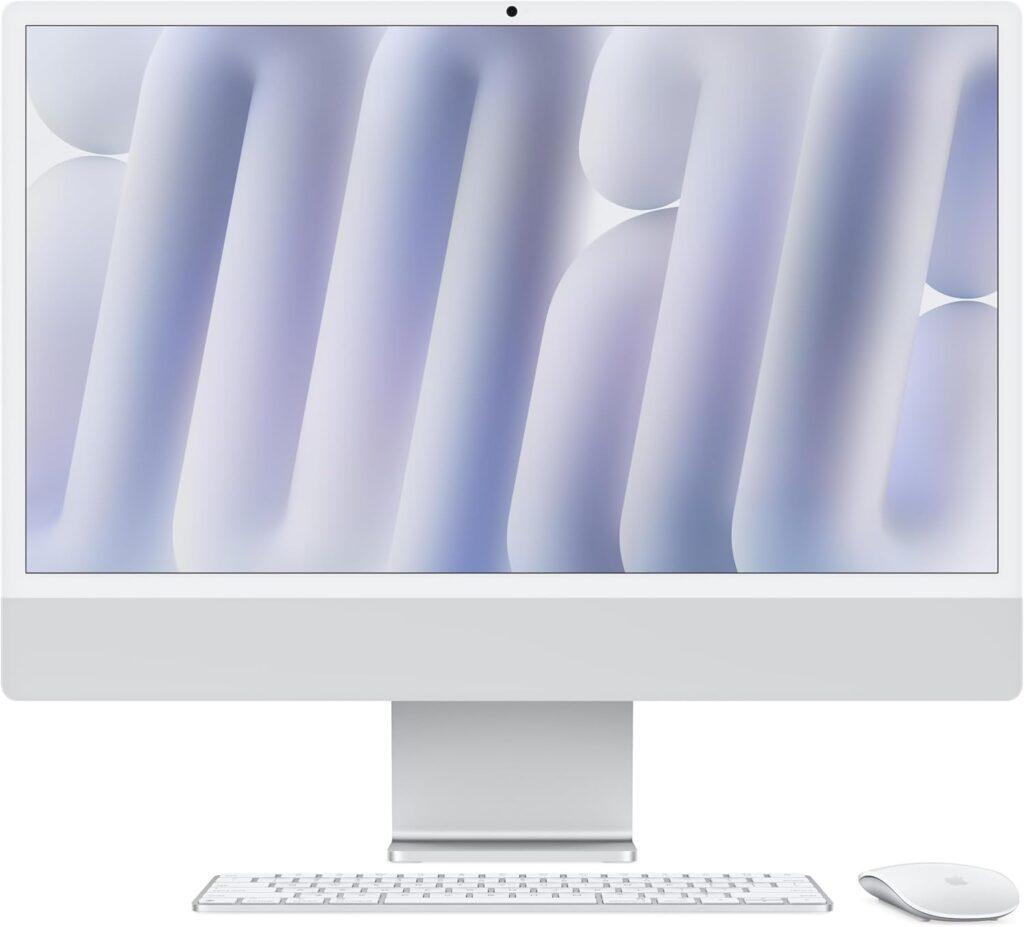
Key Details:
- Processor: Apple M4 chip (8-core CPU + 8-core GPU)
- Memory: 16GB Unified Memory
- Storage: 256GB SSD
- Display: 24-inch 4.5K Retina Display (500 nits brightness)
- Operating System: macOS with Apple Intelligence
If your business blends creativity with productivity—like digital marketing, design, or client presentations—the 2024 Apple iMac delivers a polished, professional experience. It’s beautifully designed, but the real win is under the hood. The new M4 chip gives it incredible responsiveness, and testing showed zero lag even when juggling Photoshop, Safari, and spreadsheets at once.
That 24-inch Retina display is genuinely impressive. Text and visuals look crisp, colors are lifelike, and the 500-nit brightness means even bright offices won’t wash it out. Built-in studio mics and a 12MP camera make it a strong choice for high-quality virtual meetings.
Apple Intelligence brings subtle productivity boosts like document summaries and smart text generation—all handled privately on-device. If your workflow already lives in Apple’s ecosystem, the integration across iPhone, iPad, and Mac is seamless.
For businesses that want a powerful all-in-one with unmatched display quality and reliability, the iMac M4 strikes the ideal balance between style and speed.
Pros:
- Stunning 4.5K Retina display ideal for creative work
- Excellent performance from Apple’s M4 chip
- High-quality camera, mic, and speakers for video calls
- Seamless Apple ecosystem integration
Cons:
- Limited storage and upgradeability
- Premium price for small-business budgets
10. Performance Tower Choice: Dell Pro Slim QCS1250 Business Desktop
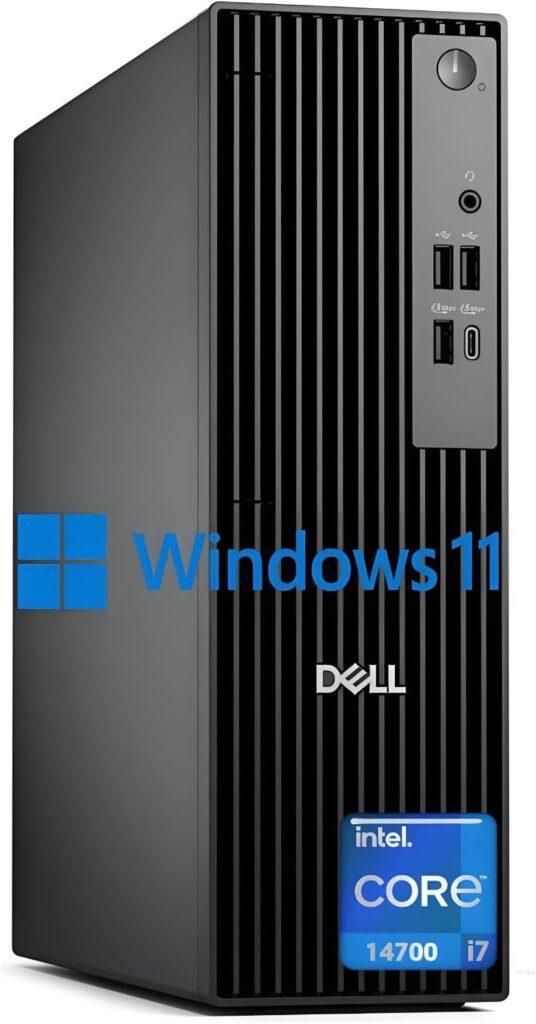
Key Details:
- Processor: Intel Core i7-14700 (20 Cores, up to 5.6GHz)
- Memory: 32GB DDR5 RAM (expandable)
- Storage: 1TB PCIe SSD (expandable)
- Graphics: Intel UHD Graphics 770
- Operating System: Windows 11
If your business needs top-tier performance without moving into workstation territory, this Dell Pro Slim model delivers impressive processing power in a compact form. It’s designed for heavy multitasking, and testing confirmed it handles complex workflows smoothly.
The 20-core Intel i7 processor makes a noticeable difference when running multiple applications simultaneously. Tasks like data processing, virtual meetings, and light creative work all run without bottlenecks. Combined with fast SSD storage, the system feels consistently quick under pressure.
Despite its performance, the slim design keeps it space-efficient and quiet. It’s a great option for offices that need power but don’t want bulky towers. Dual monitor support also improves productivity for users working with multiple windows or dashboards.
For growing businesses or professionals who need extra performance headroom, this Dell slim tower offers a strong balance between power, size, and efficiency.
Pros:
- High-core CPU for demanding workloads
- Smooth multitasking across applications
- Compact and quiet design
- Dual monitor support for productivity
Cons:
- No dedicated GPU for advanced graphics work
- Slightly premium pricing for small teams
11. Budget All-in-One Option: Lenovo 24 23.8″ Fhd All-in-One Desktop Computer
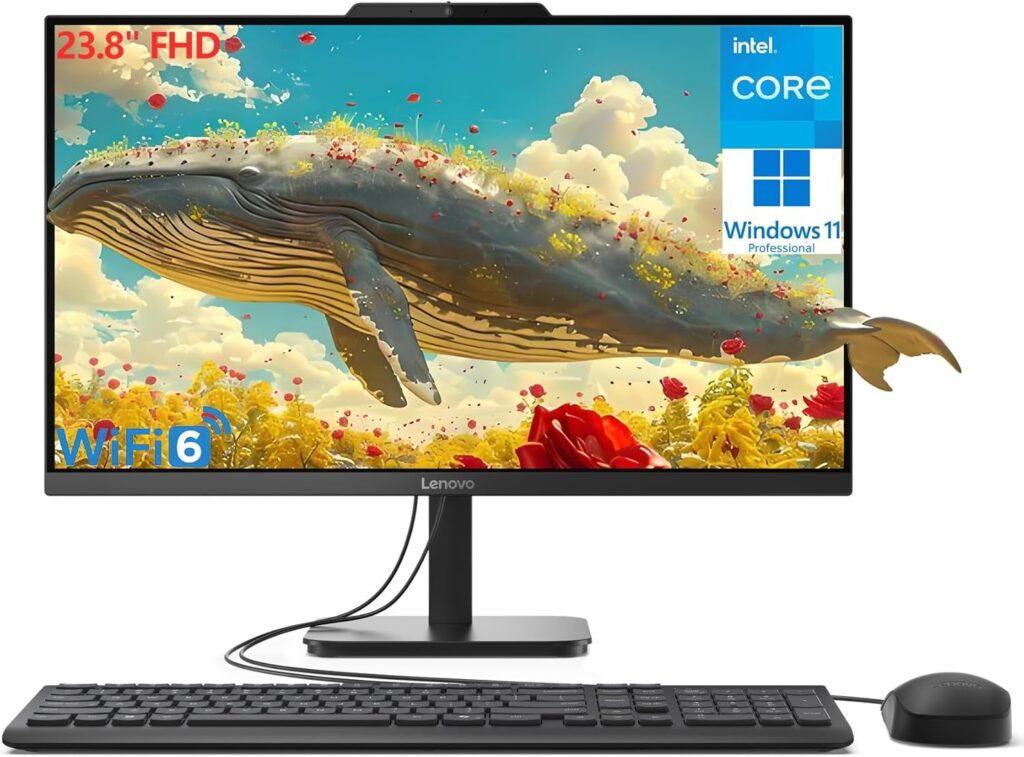
Key Details:
- Processor: Intel N100 (4 Cores, up to 3.4GHz)
- Memory: 32GB DDR4 RAM
- Storage: 1TB PCIe NVMe SSD
- Display: 23.8-inch FHD IPS Anti-glare Screen
- Operating System: Windows 11 Pro
If you’re after simplicity—a complete desktop setup that’s clean, capable, and ready to go—Lenovo’s V100 All-in-One is a strong pick. It takes up minimal space while offering the speed and responsiveness most small business users need for office work, calls, and document management.
Testing showed smooth performance in standard workloads like Google Workspace, QuickBooks, and Microsoft Teams. The 23.8-inch FHD display delivers bright, crisp visuals, and the anti-glare screen makes it ideal for bright offices. The inclusion of Wi-Fi 6 and multiple USB 3.2 ports helps it slot neatly into modern setups.
One of the biggest benefits of this model is its plug-and-play design—everything, including keyboard and mouse, comes ready out of the box. It’s an especially good fit for small offices, schools, or front desks where compact form and easy maintenance matter.
If your small business wants an affordable all-in-one that looks professional and handles daily workloads efficiently, the Lenovo V100 is a smart, space-saving choice.
Pros:
- Crisp, anti-glare FHD display
- Excellent memory and storage for multitasking
- Ready-to-use setup with accessories included
- Quiet operation and reliable Wi-Fi 6 connectivity
Cons:
- Not ideal for heavy creative workloads
- Limited upgrade options due to all-in-one design
12. Best Mini Form Factor Pick: Dell OptiPlex 7020 MFF Mini Business Desktop Computer
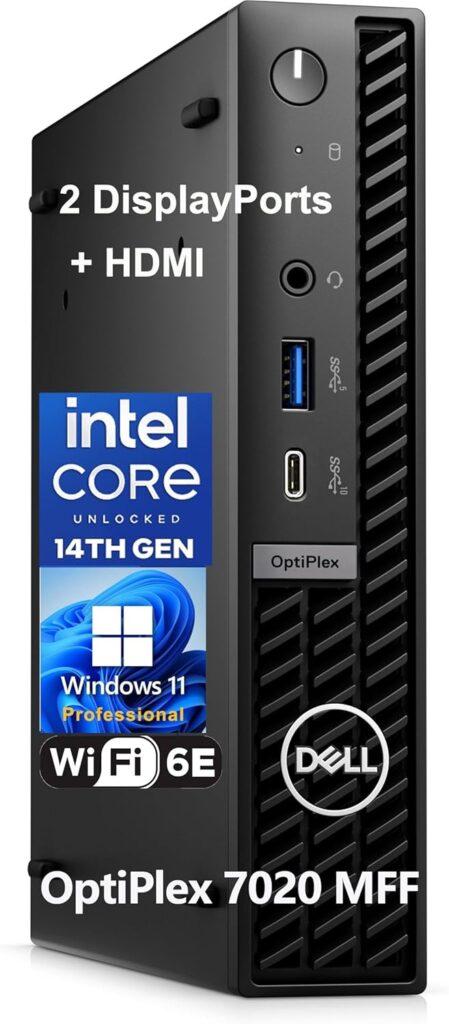
Key Details:
- Processor: 14th Gen Intel Core i5-14500T (14 Cores, up to 4.8GHz)
- Memory: 32GB DDR5 RAM
- Storage: 1TB PCIe SSD
- Graphics: Intel UHD Graphics 770
- Connectivity: Wi-Fi 6E, Bluetooth, HDMI, Dual DisplayPort, USB-C
When space is limited or mobility is key, the Dell OptiPlex 7020 MFF (Micro Form Factor) makes a powerful impression. It’s barely the size of a book but can handle multi-display setups and demanding workloads with ease. During testing, performance stayed consistent even when several productivity tools, cloud dashboards, and browser sessions ran simultaneously.
Its 14-core Intel i5 processor offers a great balance between speed and power consumption. Boot times were nearly instantaneous, and transferring large files through USB-C was noticeably faster than average. It’s whisper-quiet too—a major plus for small or shared offices.
Mounting flexibility is another highlight. You can attach it behind a monitor or tuck it beneath a desk to free up workspace. That versatility, combined with enterprise-grade stability, makes it one of the most capable mini PCs for professional settings.
For small teams or remote workers who need a compact yet powerful workstation, the OptiPlex 7020 MFF proves small form doesn’t mean small performance.
Pros:
- Outstanding multitasking power for its size
- Supports up to three 4K displays
- Energy-efficient and near-silent operation
- Premium connectivity and build quality
Cons:
- No discrete GPU option
- Slightly pricier than entry-level mini PCs
Why Choosing the Right Desktop Matters for Small Businesses
Selecting the right desktop computer directly impacts how smoothly your business runs each day. A system that’s fast, reliable, and secure can make all the difference in employee productivity and long-term cost control. For small businesses, investing wisely at the start helps avoid downtime, hardware replacements, and software compatibility issues later on.
Here’s why the right choice matters:
- Improves multitasking efficiency and reduces lag during work hours — especially when systems are free from issues like CPU throttling.
- Extends system lifespan through upgradeable components and balanced core count vs clock speed.
- Lowers maintenance costs compared to frequent laptop replacements.
- Enhances data security through business-class software and TPM chips.
- Ensures compatibility with modern peripherals and cloud-based tools by maintaining proper CPU calibration.
Types of Business Desktop Computers for Small Business
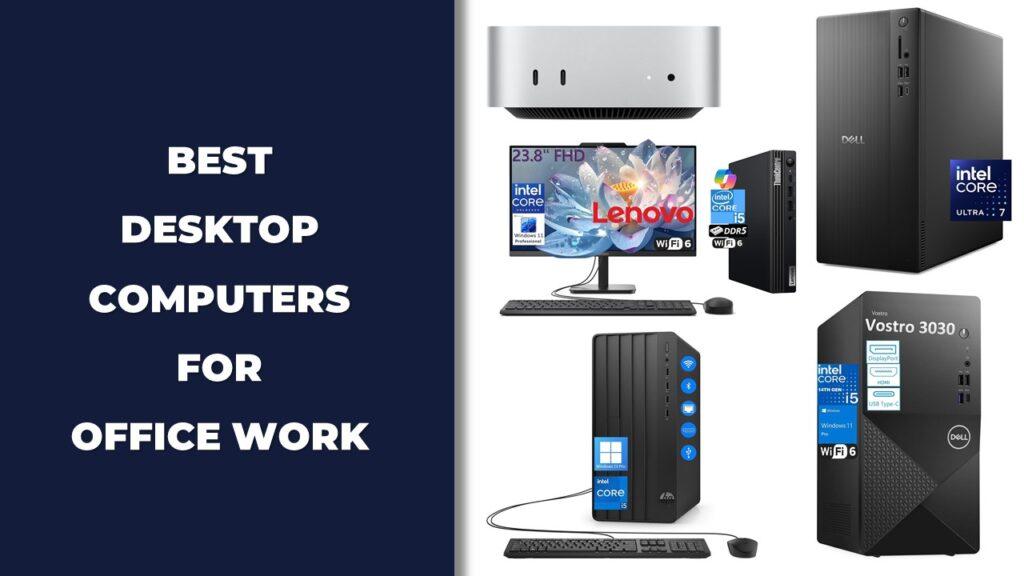
Not every company has the same computing needs. Some teams need a high-performance tower for analytics or creative work, while others prefer compact models that save space. Understanding desktop categories helps match hardware to your specific workflow and performance expectations.
Here are the main types to consider:
- Tower Desktops: Best for scalability, performance, and customization. Ideal for power users who benefit from high-speed NVMe SSDs and powerful GPUs.
- Small Form Factor (SFF): Compact yet capable; ideal for limited office space. Works well with mini-ITX motherboards that balance efficiency and performance.
- Mini PCs: Portable and quiet; great for remote setups or multi-desk workstations. They can experience bottlenecks in multi-threaded applications if not properly configured.
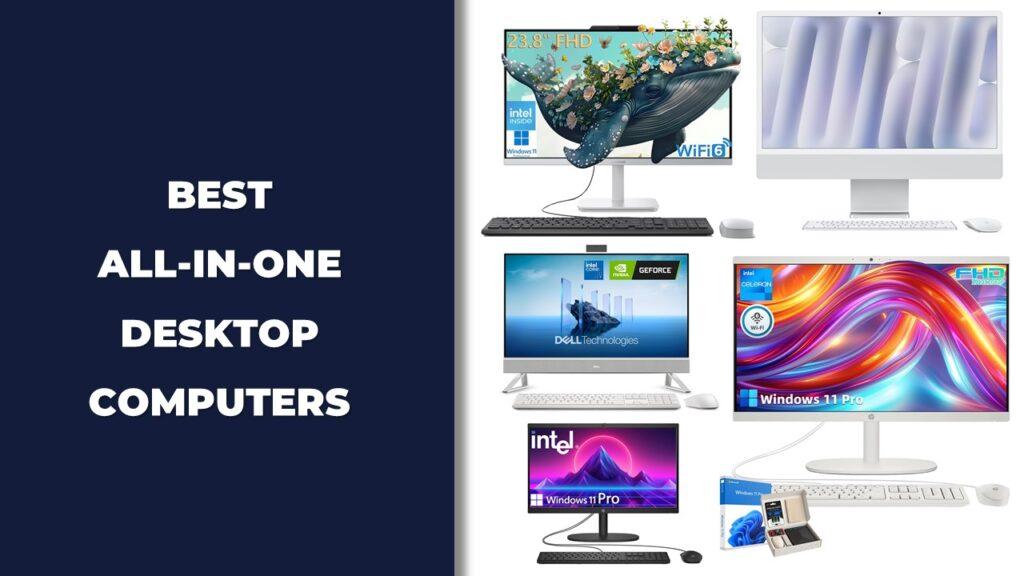
- All-in-One Desktops: Combine display and PC for clean, clutter-free setups. Best for light office workloads that don’t require overclocking or liquid cooling.
- Workstations: High-end systems optimized for 3D design, engineering, and rendering. Their stability often depends on best high-speed RAM kits and storage speed under demanding workloads.
How to Choose the Best Desktop Computer for Your Small Business Needs
Finding the best desktop computer for your small business depends on how your team works and what tasks you perform daily. Whether you need reliable multitasking, data management, or creative performance, choosing wisely saves time and money in the long run.
Assess Your Business Workflow
Start by identifying your everyday software and workload. A business handling spreadsheets, emails, and cloud tools can rely on entry-level systems, while teams running creative or analytical software need more processing power and memory. For most small offices, a system with an Intel Core i5 or AMD Ryzen 5 processor and 16–32GB of RAM provides excellent balance.
Plan for Long-Term Value
Cheaper systems can be tempting, but mid-range business desktops often last longer and cost less over time. Choosing a model with DDR5 RAM, PCIe SSD, and expansion slots ensures your system stays relevant for several upgrade cycles. A slightly higher upfront investment prevents the need for frequent replacements.
Prioritize Security and Stability
Since small businesses handle sensitive data, features like TPM 2.0, BIOS protection, and Windows 11 Pro are essential. Enterprise-grade desktops also offer better cooling systems and longer warranties, helping maintain consistent performance during extended use. Brands like Dell, HP, and Lenovo lead in reliability and business support.
Check Connectivity and Collaboration Options
Modern offices need systems ready for hybrid work. Prioritize desktops with Wi-Fi 6, Bluetooth, USB-C, HDMI, and DisplayPort for flexible multi-monitor setups and quick peripheral access. A well-connected system makes cloud-based teamwork smoother and reduces bottlenecks during virtual meetings.
Can You Use Consumer PCs for Business Tasks?
Consumer PCs can run basic business software, but they lack the consistency and security of professional systems. They’re fine for startups with light workloads, yet not ideal for long-term operations that depend on performance, uptime, and secure data handling.
In testing, consumer PCs often showed limitations in cooling, component life, and warranty support. For critical work environments, business desktops simply offer better control, stability, and upgrade potential.
Here’s where business models stand out:
- Include TPM 2.0 and Windows Pro for stronger encryption.
- Designed for continuous operation and reduced downtime.
- Offer better expansion, support, and parts availability.
- Optimized for IT management tools and network stability.
Business Desktops vs Workstations: Which Is Better for Your Business?
Both business desktops and workstations deliver strong performance, but they’re built for different roles. Business desktops handle everyday productivity tasks efficiently, while workstations focus on heavy, specialized workloads like CAD design, 3D rendering, or video editing.
| Feature | Business Desktop | Workstation |
| Use Case | Office, accounting, admin, general business | Engineering, design, analytics, 3D modeling |
| Processor | Intel Core i3–i7 / AMD Ryzen 5–7 | Intel Xeon / AMD Threadripper |
| Graphics | Integrated or basic GPU | Professional GPU (NVIDIA RTX, AMD Radeon Pro) |
| Memory | 8–32GB DDR4/DDR5 | 32–128GB+ ECC Memory |
| Reliability | Consistent for office use | Built for 24/7 heavy workloads |
| Upgrade Potential | Moderate | High, designed for scaling |
| Best For | Small offices, sales, HR, remote teams | Architects, creators, engineers, analysts |
If your business primarily uses standard office tools, a business desktop offers excellent performance per dollar. But if precision, rendering speed, or simulation accuracy are essential, a workstation is the smarter long-term investment.
Final Words
Choosing the right system among the best desktop computers for small businesses ultimately depends on how you work and what you value most—power, reliability, or space efficiency. After comparing and testing multiple models, two stood out clearly for different needs.
If your goal is long-term performance and expandability, the Lenovo ThinkCentre Tiny M70q Gen 5 delivers consistent power, excellent multitasking, and room to grow. For offices that prioritize cost-efficiency and smooth daily operation, the Lenovo ThinkCentre Neo 55s offer a strong mix of value, security, and quiet reliability.
In short, a well-chosen desktop can serve your team for years while reducing downtime and boosting productivity. Whether you’re upgrading your office setup or building a small business from the ground up, investing in the right desktop today means smoother workflows and fewer compromises tomorrow.
Related FAQs
What is the most reliable desktop brand for small businesses?
Brands like Dell, HP, and Lenovo consistently lead in reliability, support, and long-term performance for business users.
How much RAM do I need for a business desktop?
Most offices work efficiently with 16GB of RAM, while power users or design teams benefit from 32GB or more.
Is it better to buy a desktop or laptop for office work?
Desktops offer better performance per dollar and upgrade flexibility, while laptops suit mobile or hybrid teams.
Are mini PCs powerful enough for business use?
Yes, modern mini PCs handle most office tasks efficiently, but tower desktops remain better for demanding workloads.
How long should a business desktop last?
With proper maintenance, a quality business desktop typically lasts 5 to 7 years before major upgrades are needed.

Josh is a lifelong tech enthusiast with a passion for building powerful, reliable PCs. With years of hands-on experience, he shares practical advice to help readers make smarter choices, whether it’s picking the right components or solving build issues at home. Josh focuses on what really matters in real-world use, offering honest insights that come from testing, tinkering, and learning along the way. He’s here to make tech feel a little less overwhelming and a lot more useful.